
AI terms for HR are becoming part of everyday work as AI moves into recruiting, learning, workforce planning, and HR operations. Knowing AI terms for HR will help you follow vendor demos, ask better questions, and spot risks before they affect employees.
AIHR’s study of over 1,500 HR professionals found that 61.6% reported little to no AI involvement in their HR processes, and only 35% felt equipped to use AI technologies, indicating a need for HR to catch up in terms of AI adoption. This article explains 51 AI terms for HR you should know, provides corresponding examples, and details how you can build AI fluency as an HR professional.
Contents
50 core AI terms every HR professional should know
– General AI terms
– Generative AI and LLM terms
– AI prompting terms
– AI agent terms (and what agentic AI means for HR)
– AI data and model terms
– AI automation and integration terms
– Responsible AI and AI governance terms
– HR-specific AI terms
How to build your AI fluency as an HR professional
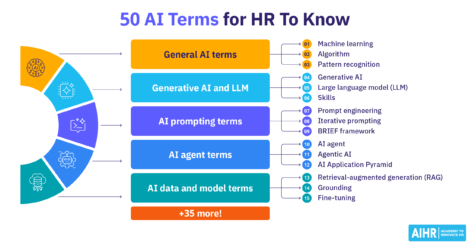
50 core AI terms every HR professional should know
Many of these AI vocabulary terms are covered in Artificial Intelligence for HR Certificate Program and AI Mini Courses. Each entry includes a plain definition of the term, as well as a practical example of it in an HR context.
General AI terms
These AI terminology basics form the vocabulary behind many HR tools:
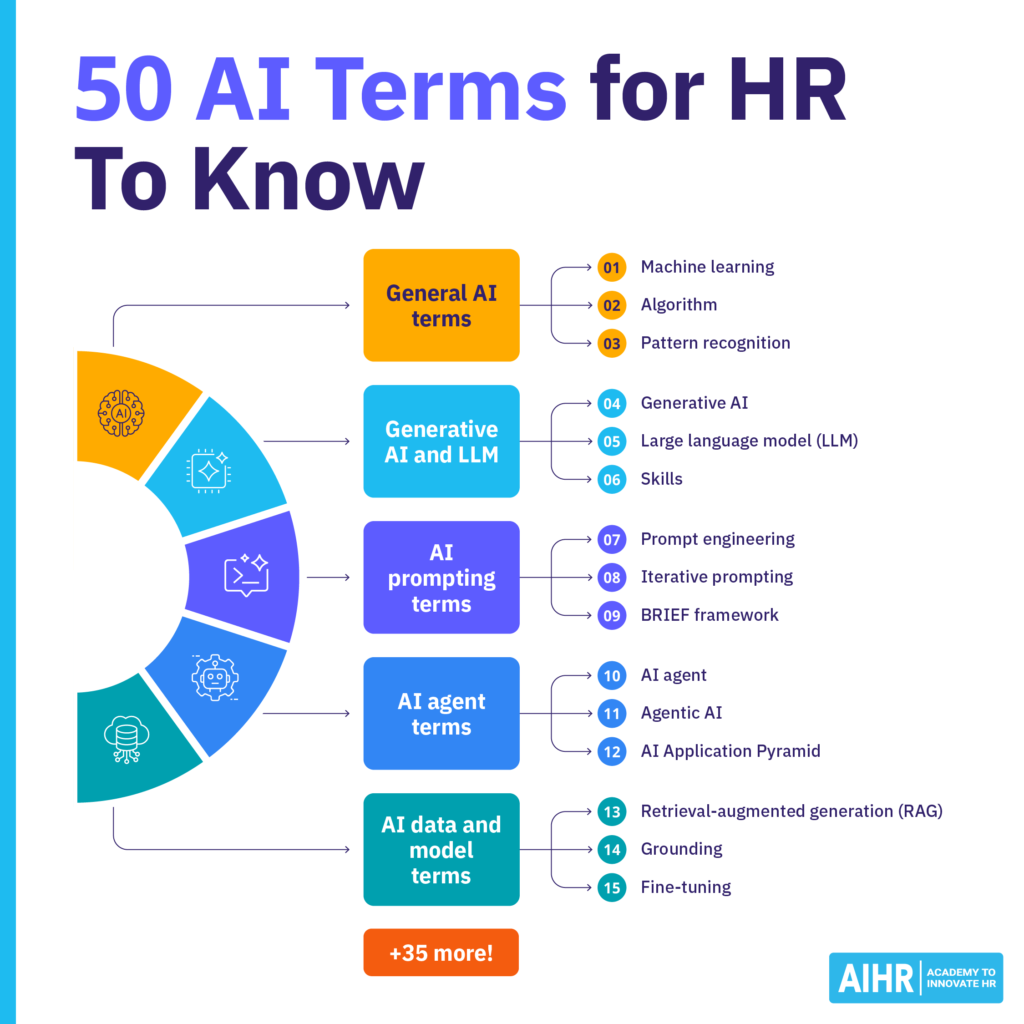
1. Artificial intelligence (AI)
AI is technology that can perform tasks that usually need human judgment, such as spotting patterns, classifying information, or making predictions. Vendors use the AI label broadly, so ask what the tool does before you rely on its output.
HR example: An applicant tracking system (ATS) that rejects applicants without a degree follows a rule, while an ATS that ranks applicants by patterns from past hires uses AI. In each case, you must still review the ranking before making a decision.
2. Machine learning
Machine learning is a type of AI that learns patterns from data, and uses them to make predictions.
HR example: You can use a machine learning model to review past employee data to estimate turnover risk, then use the result to investigate possible retention issues before drawing up an action plan to solve them.
3. Algorithm
An algorithm is a set of digital rules or formulas that analyzes data and guides a result.
HR example: A performance tool may use an algorithm to compare output quality, task volume, and deadlines. Your role in this context is to understand which factors influence the score, so you can share this information with relevant stakeholders.
4. Training data
Training data is the information used to teach a machine learning model what patterns to look for.
HR example: A résumé-matching model may learn from past hiring data and profiles of successful employees. It’s important to check that the data does not repeat any past bias. If it does, the model will need improvement to remove any tendency toward bias.
5. Pattern recognition
Pattern recognition uses AI to find repeated trends, behaviors, or irregularities in data.
HR example: You can use a writing tool to scan job ads for biased wording, and suggest more inclusive alternatives.
6. Natural language processing (NLP)
NLP is a field of AI that helps computers read, understand, and generate human language.
HR example: You might use NLP to analyze survey comments, feedback forms, and chat logs to summarize and understand employee sentiment.
7. Predictive analytics
Predictive analytics uses data, statistics, and machine learning to estimate or predict what may happen next.
HR example: You can use predictive analytics to forecast attrition risk, as well as plan hiring, retention, or skills development earlier.

Generative AI and LLM terms
8. Generative AI (GenAI)
Generative AI creates new content based on the prompts users feed it. This content includes text, images, audio, or video.
HR example: A recruiter or Talent Acquisition Specialist can use tools like ChatGPT or Gemini to draft a first version of a job description. Before approving or publishing it, you must edit it for accuracy, inclusivity, and role fit.
9. Large language model (LLM)
An LLM is an AI model trained on large amounts of text in order to understand and generate language.
HR example: An LLM can summarize employee feedback survey answers to help HR to identify common concerns and other significant patterns faster.
10. Skills
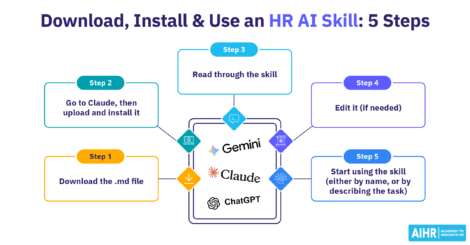
Skills are reusable workflows that tell an AI tool how to complete a specific task more consistently. They can include instructions, examples, files, code, and step-by-step guidance.
HR example: You might create a skill using Claude or ChatGPT to write job descriptions in the company’s voice. This skill is designed to follow approved language rules, check for biased wording, include required sections, and remind the user to review the final version before publishing.
11. Projects
Projects are workspaces in ChatGPT and Claude that keep related chats, files, and instructions in one place. They help the tool use the same context across ongoing work, such as research, writing, or planning.
HR example: You can create a project for an employee handbook update and upload the current policy, tone guidelines, and approved benefits language. You can then use this project to draft FAQs, rewrite policy sections, and summarize feedback while keeping the work organized.
12. Multimodal AI
Multimodal AI refers to AI that works with more than one type of information, such as text, images, audio, or video.
HR example: To help employees understand their benefits, you can upload a screenshot of a benefits table, and ask AI to explain the options in plain language.
13. AI assistant
An AI assistant is a tool that uses natural language to help people complete tasks.
HR example: You can use an AI assistant to help you draft candidate emails, summarize meeting notes, or organize interview schedules.
14. AI chatbot
An AI chatbot is typically used to simulate a conversation through text or voice.
HR example: A chatbot in the HR help desk portal can answer common employee questions, and route more complex issues to HR team members.
Understanding terms like ‘generative AI’, ‘LLM’, and ‘prompt engineering’ is a great starting point to increasing your AI knowledge. Learn how to apply these technologies in your daily HR work to help you stay relevant and make a bigger business impact.
AIHR’s Artificial Intelligence for HR Certificate Program will teach you how to:
✅ Understand AI fundamentals and identify opportunities to apply AI in HR processes
✅ Write effective prompts to generate useful, high-quality outputs for HR tasks
✅ Use tools like ChatGPT, Claude, and AIHR Copilot to improve everyday HR workflows
✅ Apply AI responsibly and identify opportunities to support broader AI adoption in your organization
💡 Explore the AIHR Demo Portal to preview lessons, tools, and resources, and discover what you can learn next.
AI prompting terms
15. Prompt
A prompt is the instruction, question, or context you give an AI tool to get a specific output.
HR example: A Learning and Development Manager might prompt an AI tool to create a training video outline on how to de-escalate customer complaints.
16. Prompt design
Prompt design involves writing a clear, well-structured prompt for a specific task.
HR example: A Hiring Manager prompts an AI tool: “Write a short follow-up email to the newly hired Digital Marketing Manager. Keep the tone warm and professional. Mention the contract documents, start date, and compensation package.”
17. Prompt engineering
Prompt engineering means testing, comparing, and improving prompts so AI gives more useful and consistent results.
HR example: HR tests a job description prompt across several roles, reviews the outputs, and adjusts the prompt to improve accuracy.
18. Context window
A context window is an AI model’s short-term working memory. When the conversation gets too long or there’s too much uploaded material, the context window can start leaving out older details.
HR example: While you’re reviewing a complex employee grievance, new transcripts push earlier instructions out of the context window, so the AI may stop following your instruction for it to stay neutral.
19. Prompt chaining
Prompt chaining breaks a complex task into smaller prompts, so the answer from one prompt becomes the input for the next prompt.
HR example: For a performance review, Prompt 1 summarizes the employee’s evaluation with three strengths and three growth areas. Prompt 2 then turns that summary into a constructive review.
20. Iterative prompting
Iterative prompting means improving on your prompt after you review the AI’s response to it.
HR example: You ask AI to draft a job description. After reading it, you tell it to remove duties irrelevant to the role, and add clearer must-have skills.
21. BRIEF framework
AIHR created and teaches the BRIEF framework as a structured way to write stronger AI prompts. It helps you give the AI tool the right context, task, format, quality standards, tone, scope, and limits before it produces an output. BRIEF stands for:
- Background: Share the context (e.g., company size, industry, or workplace situation).
- Request: State the HR task.
- Instruction: Explain the format or structure.
- Expectation: Define quality, tone, or standards.
- Focus: Narrow the scope and add constraints.
HR example: A manager uses BRIEF for a performance review in the following way:
- Background: “I’m a Senior Marketing Manager writing an annual review for a Junior Content Strategist.”
- Request: “Write a constructive performance evaluation for the past six months.”
- Instruction: “Include achievements, growth opportunities, and an action plan for next quarter.”
- Expectation: “Use an encouraging, constructive tone.”
- Focus: “Highlight strong analytical skills and address the need to improve project management.”
22. Token
Tokens are units of information that an AI model processes. In terms of text, tokens can be words, parts of words, punctuation, or spaces.
HR example: Uploading long handbooks and policy files uses more tokens, which can increase tool usage and computing costs.
23. Prompt template
A prompt template is a reusable prompt structure with placeholders you fill in for each task. The AIHR Resource Library offers several resources on prompting, including a guide on creating an AI prompt template, which can help you turn recurring tasks (e.g., drafting job descriptions or training materials) into reusable AI prompt templates using the BRIEF framework.
HR example: You can build templates for job descriptions and candidate emails, so different teams can reuse the same structure for hiring.
AI agent terms (and what agentic AI means for HR)
24. AI agent
An AI agent works toward a goal by choosing steps and using approved tools within the permissions you give it.
HR example: An onboarding AI agent checks unfinished tasks, identifies missing documents, and follows up with the relevant new hires.
Did you know?
AIHR offers a Building AI Agents for HR Mini Course that teaches you how to build reusable AI agents, redesign HR processes, and create human-AI workflows for outputs that can automatically handle your recurring work.
25. Agentic AI
Agentic AI uses AI agents to plan, execute, and adjust multi-step work without continuous human prompting.
HR example: During offboarding, an agent can check for access risks, schedule software deprovisioning, and coordinate laptop return.
26. AI Application Pyramid
The AI Application Pyramid groups AI use into three operational roles: Companion, Colleague, and Custodian. AIHR teaches learners this pyramid in its Getting Started with AI for HR online course, which is part of the Artificial Intelligence for HR Certificate Program.
HR example: A Companion might answer an employee’s parental leave question, while a Colleague could process their leave request across payroll and scheduling systems. A Custodian, on the other hand, could track whether the process follows labor and data privacy rules.
AI data and model terms
27. Retrieval-augmented generation (RAG)
Retrieval-augmented generation (RAG) retrieves relevant information from a trusted source, then uses it to create an answer.
HR example: A policy chatbot retrieves your current remote work policy before answering an employee’s question regarding a possible remote work arrangement.
28. Grounding
Grounding means tying an AI response to relevant source information, instead of relying only on the model’s training.
HR example: You might enter approved salary bands into an AI tool and ask it to use only those figures in a compensation summary.
29. Fine-tuning
Fine-tuning means further training a pre-trained AI model on selected examples so it responds accurately and aligns with the organization’s voice and messaging.
HR example: A company fine-tunes a model to improve HR help desk responses to similar questions.
30. AutoML (training your own model)
AutoML helps automate parts of building and testing machine learning models, so teams need less coding.
HR example: AutoML can help you test models that predict hiring success or employee turnover risk.
AI automation and integration terms
31. Workflow automation
Workflow automation uses software to complete repetitive tasks without manual handoffs. To learn more about it, check out AIHR’s Automation in HR online course, which is part of the Digital HR 2.0 Certificate Program.
HR example: HR can sync employee promotions and salary changes between the human resource information system (HRIS) and payroll software without retyping details.
32. API connections
Application programming interface (API) connections let different software systems exchange information.
HR example: An API connection can send new-hire details from your organization’s ATS to its HRIS.
33. AI-powered OCR
AI-powered optical character recognition (OCR) converts scanned documents, photos, and PDFs into machine-readable text.
HR example: You can use AI-powered OCR to extract names and dates from scanned employment contracts, which reduces the need for and time spent on manual data entry.
Responsible AI and AI governance terms
34. AI bias
AI bias happens when a tool treats people unfairly based on traits such as gender, race, age, disability, or other protected characteristics. In HR, bias can come from three sources:
- Data sets: Past data can reflect historical inequalities.
- Algorithms: System rules and design choices can create unfair outcomes.
- Prompts: Exclusionary or stereotypical wording can steer outputs away from job-relevant requirements.
HR example: A performance tool rewards employees for responding to emails after midnight. That design can disadvantage caregivers, even when the data is accurate.
35. Algorithmic bias
Algorithmic bias happens when a system’s rules or calculations unfairly disadvantage certain groups.
HR example: An AI-powered ATS disqualifies candidates with long career gaps, which may unfairly affect people who took time out for caregiving, illness, or military service.
36. Hallucination
A hallucination occurs when an AI tool provides a confident answer that is fabricated, false, or unsupported by credible or verifiable sources.
HR example: When you ask an AI tool to explain an employment law, it invents a rule that doesn’t exist. Always check legal or policy output from AI against trusted sources.
37. Human-in-the-loop
Human-in-the-loop refers to having a person review, correct, or approve AI outputs before finalizing them for use in a company process or decision.
HR example: You may use AI to draft layoff communications, but you must still check the details, wording, and employee support information carefully before sending anything to anyone.
38. Black-box AI
Black-box AI provides outputs or results without making its reasoning clear.
HR example: An AI screening tool gives a job applicant a low score, but doesn’t list or explain the factors for this score.
39. Explainable AI
Explainable AI gives clear reasons that help people understand why an AI tool or system produced a certain result.
HR example: A learning management system (LMS) shows why it recommended a particular course of action for an employee, such as a low assessment score in a specific skill area.
40. Automation bias
Automation bias happens when people trust AI-generated answers or recommendations without checking them for accuracy or bias.
HR example: A recruiter shortlists candidates ranked highest by an AI résumé-screening tool without assessing their actual qualifications or experience.
41. Guardrails
Guardrails are controls that limit what AI can access, produce, or do.
HR example: An HR chatbot can answer policy questions, but it cannot access payroll records or send messages without approval.
42. AI governance
AI governance refers to the policies, processes, controls, and standards used to ensure legal, secure, and ethical AI systems development and use. AIHR’s Artificial Intelligence for HR Certificate Program covers this topic, and provides a cheat sheet you can use to help establish AI governance at your organization.
HR example: You can use AI to support résumé-screening, but you or an HR colleague must still review candidates and decide who moves forward.
43. AI risk framework
AIHR’s AI Risk Framework helps HR put responsible AI into practice. It covers external and internal risks, as well as data governance. A repeating cycle helps identify, mitigate, monitor, and audit risks.
HR example: Your company adopts an AI-powered employee monitoring tool, and you must set rules for what it can and cannot monitor. Monitoring everything can make employees feel watched, and create privacy risks. You must also review the tool regularly, as AI risks change over time.
44. Shadow AI
Shadow AI happens when employees use free third-party AI tools without employer approval.
HR example: An HR practitioner uses a personal ChatGPT account to draft performance reviews or analyze applicant résumés, even though company policy doesn’t allow it.
45. Personally identifiable information (PII)
PII includes details that can identify a person, such as employee addresses, Social Security numbers, and financial information.
HR example: Before uploading employee records to a company-approved AI tool, you must check your company’s rules and remove unnecessary personal information.
46. Bias audit
A bias audit checks whether an AI tool treats different groups fairly.
HR example: Before you buy an AI résumé-screening tool, you must first ask the vendor for its latest independent bias audit results.
HR-specific AI terms
47. AI fluency
AI fluency is the confidence and ability to use AI effectively, responsibly, and with sound judgment in HR work.
HR example: You ask an AI tool to draft a hybrid work policy and give it the context it needs (current remote rules, team locations, and the tone leadership expects). You then check each clause against local labor law, and treat the output as a first draft, not a finished policy.
Did you know?
AIHR has a free AI Fluency Assessment that assesses your AI skills and knowledge in five areas: AI application, interaction, work integration, responsible use, amd adoption advocacy. Based on your results, you can find out which growth area to prioritize next.
48. Automated employment decision tool (AEDT)
An automated employment decision tool (AEDT) helps employers screen candidates or employees for hiring or promotion. New York City’s Local Law 144 of 2021 covers certain AEDTs used in the city. When the law applies, employers must complete a bias audit within one year of use, publish summary information, and provide the required notices.
HR example: You may use a candidate assessment platform to automatically score applicant responses and recommend who should move forward in the hiring process.
49. Skills inference
Skills inference uses AI to estimate a person’s skills from records such as résumés, work histories, and performance data.
HR example: You can use talent marketplaces and résumé-screening tools to infer applicants’ related skills that they may not list directly.
50. AI strategy framework
An AI strategy framework helps HR decide where AI can support business goals, and what employees require to use it effectively.
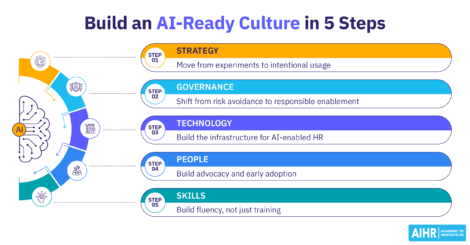
HR example: You can use the five key pillars in AIHR’s AI strategy framework to plan an onboarding chatbot, covering goals, technology, competencies, governance, and culture.
How to build your AI fluency as an HR professional
AI fluency is one of six core competencies in AIHR’s T-Shaped HR Competency Model. The others are Business Acumen, Data Literacy, Digital Agility, People Advocacy, and Execution Excellence. Fluency means using AI to augment your judgment, not replace it.
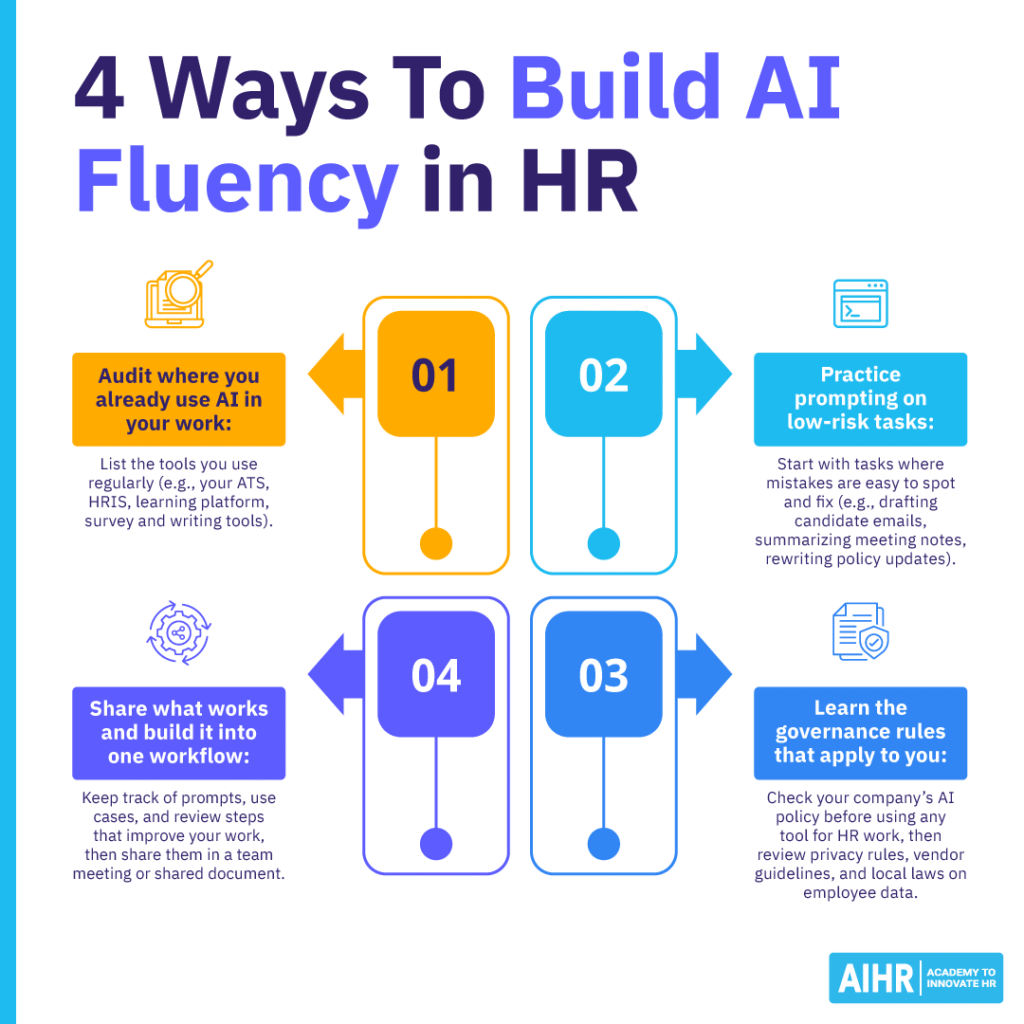
Audit where you already use AI in your work
List the tools you use daily, including your ATS, HRIS, learning platform, survey tool, and writing tools. Check which ones now include AI features, then note the tasks where AI affects people decisions, employee data, or compliance.
Practice prompting on low-risk tasks
Start with tasks where mistakes are easy to spot and fix, such as drafting candidate emails, summarizing meeting notes, or rewriting policy updates. Never paste addresses, Social Security numbers, salary data, or sensitive employee information into public AI tools.
Learn the governance rules that apply to you
Check your company’s AI policy before you use any tool for HR work. Then, review privacy rules, vendor guidelines, and local laws that affect hiring, monitoring, or employee data. When in doubt, ask legal, compliance, or IT before you experiment.
Share what works and build it into one workflow
Keep track of prompts, use cases, and review steps that improve your work. Share them in a team meeting or shared document. Choose one recurring task, such as drafting policy summaries, and turn it into a simple workflow with quality checks.
If you’re wondering where you stand in terms of AI in HR, take AIHR’s free AI Fluency Assessment to gauge your AI for HR skills.
Next steps
Understanding AI terms for HR helps you join the conversation with vendors, HR leaders, IT, legal, and employees. A glossary gives you the vocabulary, but real fluency comes from applying these terms in daily work and checking AI outputs with care.
To build this skill set, explore AIHR’s Artificial Intelligence for HR Certificate Program. It covers AI fundamentals, prompt design, GenAI use cases, AI agents, AI strategy, AI ethics, data privacy, security, and a capstone project, with no special software required.