

HR professionals already work in an AI-driven environment, whether their organization has a formal AI strategy or not. In fact, 78% of organizations now use AI in at least one business function. For HR, AI has several practical applications, such as better job descriptions, clearer policies, more efficient workforce data analysis, and more structured workforce planning.
But useful AI output requires quality user input. Claude can help you work through long documents and complex people processes, but it needs clear context and instructions to do so efficiently and accurately. This article explores practical Claude prompts for HR in talent acquisition, onboarding, performance management, L&D, and day-to-day HR operations.
Contents
Why use Claude for HR work?
Write effective Claude prompts for HR with BRIEF
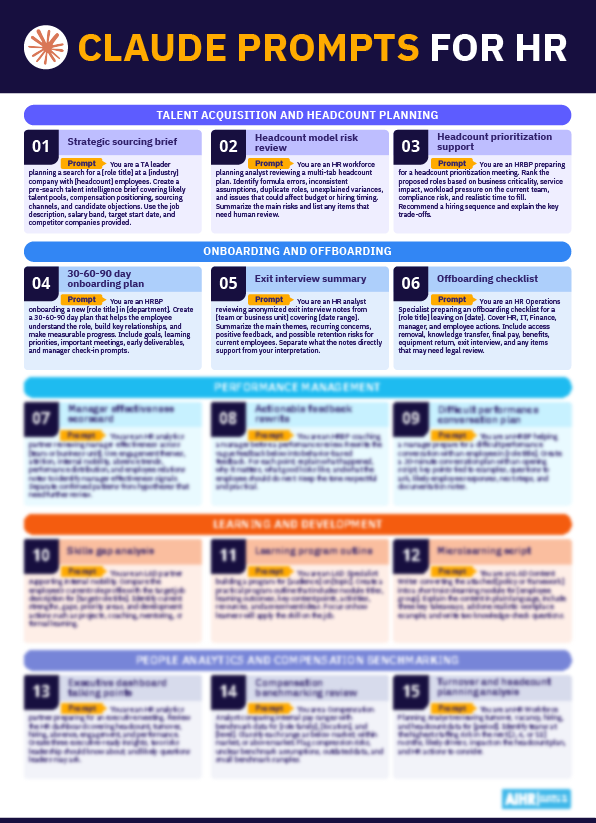
17 Claude prompts for HR to apply at work
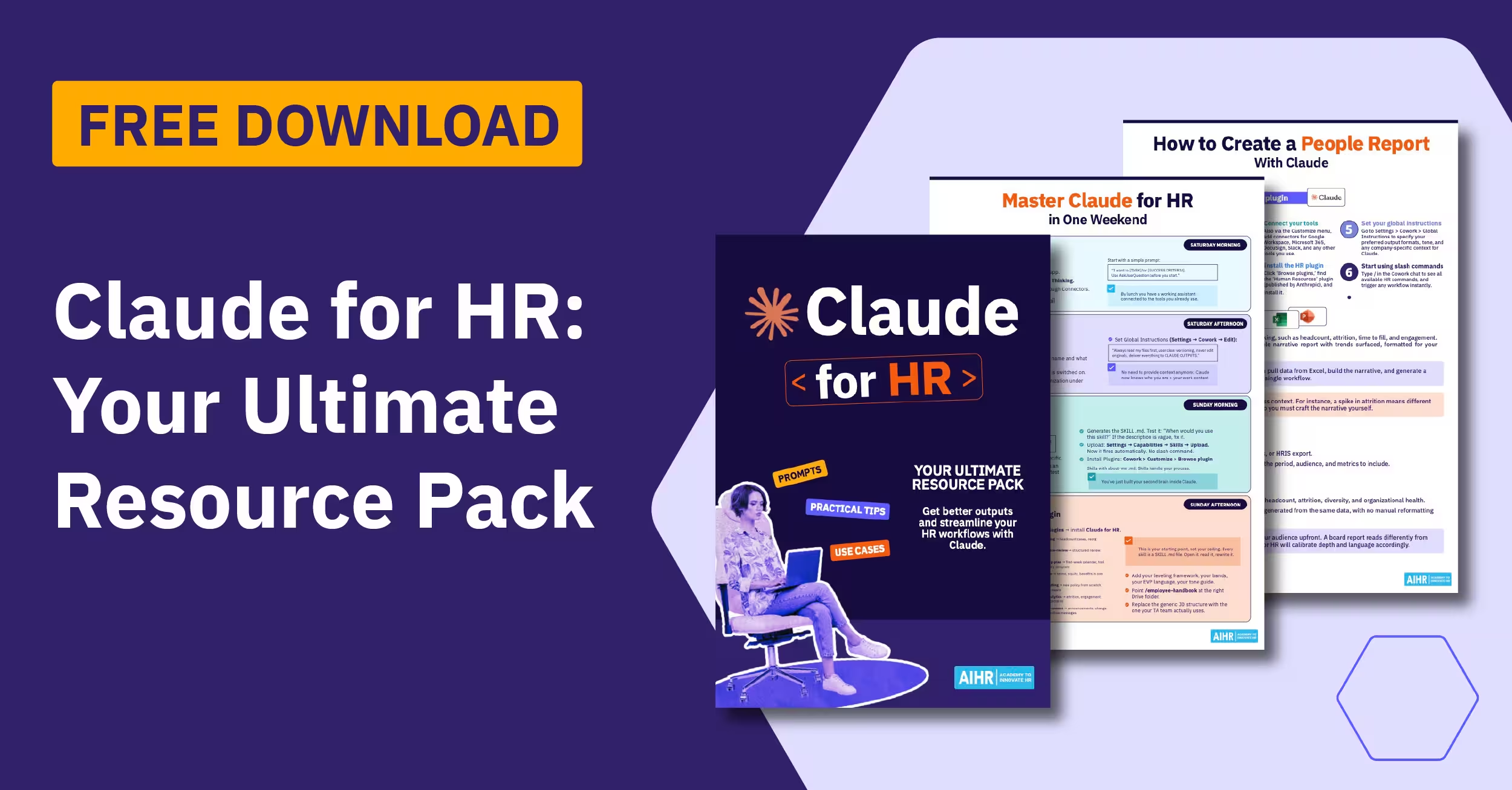
Claude prompts for HR: Free PDF
Best practices and limitations to keep in mind
Key takeaways
- Strong prompts help Claude turn HR information, such as job descriptions, policies, notes, and survey responses, into structured, usable output.
- You can use Claude in talent intelligence, headcount planning, onboarding, offboarding, performance conversations, and policy-to-training content.
- To ensure Claude understands the context, task, format, and limits, use AIHR’s BRIEF framework to guide you in prompt-writing.
- Treat Claude’s output as a first draft, check it for accuracy and bias, and keep HR and managers in charge of people decisions; never leave out human intervention.
Why use Claude for HR work?
Claude is particularly useful in HR because HR work is often text- or data-heavy. Common examples of this include job descriptions, résumés, policy documents, survey responses, interview notes, manager feedback, and employee communications.
Anthropic has also moved further into HR with its Claude for HR plugin, inside Claude Cowork. It can read long documents, hold more context than a short prompt exchange, and turn scattered information into structured, professional drafts you can easily review and refine.
The plugin can help streamline recruiting, onboarding, performance reviews, compensation analysis, and policy guidance. This means you can use Claude to draft offer letters, build onboarding plans, prepare review summaries, look up policies, and create people reports, with HR still making the final call.
Claude Cowork can work across files, local applications, and connected tools, while plugins can be configured with skills and connectors for functions such as HR. For HR, the value is in bringing together information that often sits across the ATS, HRIS, email, calendar, chat, knowledge base, and compensation tools.
AIHR’s test of Claude for HR highlights both the time it can save and the importance of checking its work. Additionally, these AI prompts for HR work whether you use Claude.ai, Claude Cowork, or the Claude API. However, do note that while the plugin can improve already good prompts, it does not replace prompt skill.

Write effective Claude prompts for HR with BRIEF
The best Claude prompts for HR give the model enough context to produce the specific output you want, rather than generic copy. Essentially, a strong prompt tells Claude what you need, who the output is for, what information to use, and what the final answer should look like.
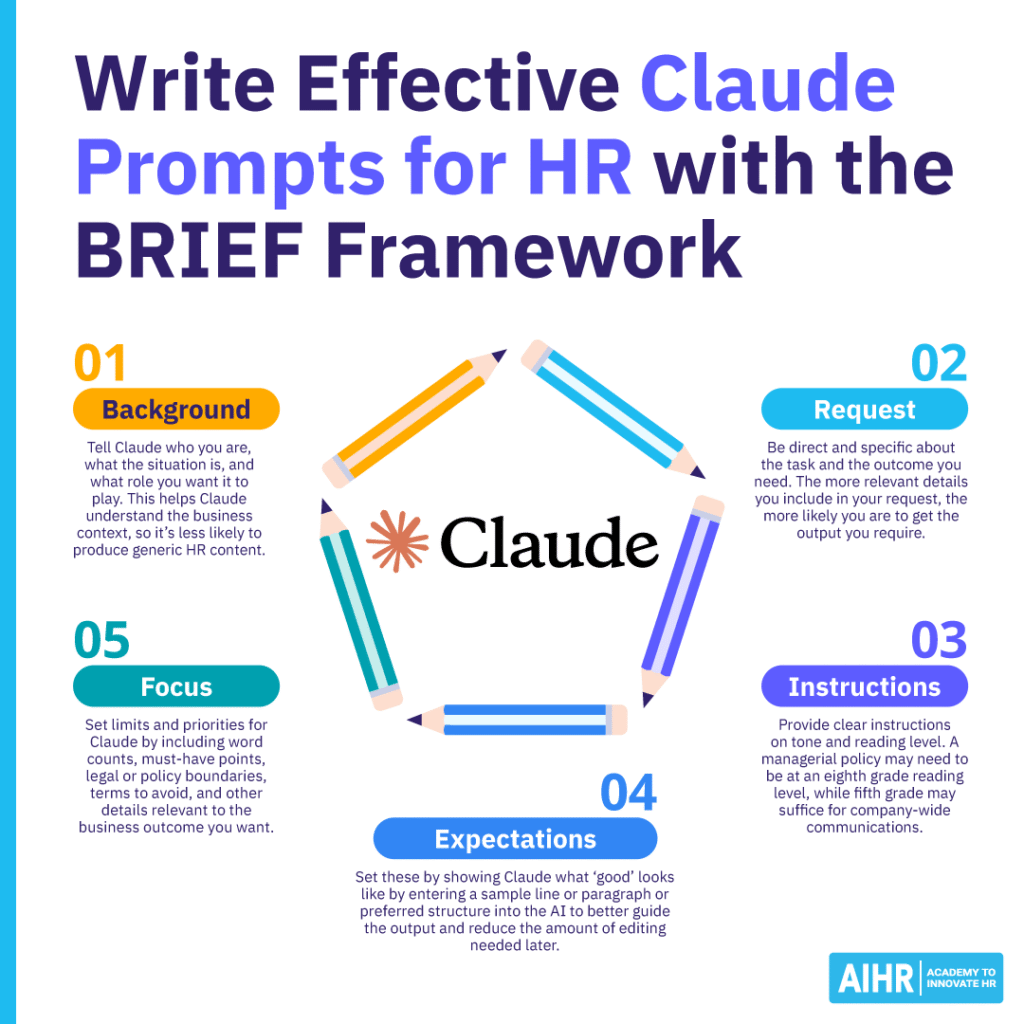
A good place to start is AIHR’s BRIEF framework (Background, Request, Instruction, Expectation, and Focus), as taught in the Gen AI Prompt Design for HR mini course. It’s simple, but it makes a significant difference by turning loose prompts for HR into clear work instructions. Here’s how to use it to write effective Claude prompts for HR:
Background
Tell Claude who you are, the situation, and the role it should play to help it understand the business context behind the task. For instance, you could prompt: “You are the HR Manager of a mid-sized tech firm preparing for a software engineer recruitment drive.” This gives Claude useful context; it knows the output should be relevant to HR, recruitment, and a mid-sized tech environment.
Without this information, it may produce generic HR content that could apply to any organization. You can also include details such as company size, industry, location, audience, and the reason for the task (e.g., are you hiring quickly due to business growth, or preparing managers for performance reviews?). The more relevant context you provide, the more useful Claude’s first draft will be.
Request
Be direct about the task and outcome you need. Claude performs better when you clearly state what you want it to create, review, summarize, compare, or improve. Instead of simply telling Claude to “write a job ad”, tell it to “create a job description for a software engineer role, with sections for title, overview, responsibilities, required qualifications, and preferred qualifications”.
This gives Claude a clear deliverable and reduces the chance that it will choose the wrong format or include sections you don’t need. A strong request usually includes a verb and a finished output. For example:
- “Draft a manager talking points guide.”
- “Summarize this employee engagement survey feedback into five themes.”
- “Rewrite this policy in plain language for employees.”
- “Create a checklist for preparing for a structured interview.”
For HR, it also helps to state the purpose of the output. Are you trying to improve clarity, reduce workload, support consistency, or help a manager prepare for a conversation with an employee? This helps Claude shape its response more accurately.
Instruction
Provide clear instructions to control the format, tone, and reading level. This is important in HR, as the audience can change from task to task. For instance, a policy for managers may need to be at an eighth-grade reading level, while a fifth-grade reading level for a company-wide message may be enough.
Claude may default to a more formal or complex style, so tell it when you need plain language, bullets, short sections, or a professional but approachable tone. For example, you could add:
- “Use a professional but approachable tone.”
- “Write in short paragraphs and avoid legal jargon.”
- “Use bullet points so managers can scan the document quickly.”
- “Keep the reading level simple enough for a global employee audience.”
- “Avoid overly formal phrases, such as ‘pursuant to’ or ‘aforementioned’.”
Instructions are also useful when you want Claude to follow a specific HR standard or process. For instance, you can ask it to separate required qualifications from preferred qualifications, use behavior-based interview questions, or structure a guide around before, during, and after a conversation.
Expectation
Show Claude what good looks like. A sample line, example paragraph, preferred structure, or previous approved version can minimize the amount of editing you need to do later. This is useful when your organization has a specific tone of voice. For example, you might paste an approved paragraph from an employee communication and ask Claude to match the style.
You can also provide a simple structure, such as “Use this format: Situation, manager action, employee message, follow-up step”, or “Start with a short summary, then provide three bullet points and a closing sentence”. Expectations also make Claude’s output easier to review, since you’ve already defined what the final answer should look like.
For HR, this is helpful for repeatable work such as job descriptions, onboarding messages, manager guides, policy summaries, and training outlines. Once you find a structure that works, reuse it in future prompts to maintain consistency across Claude’s outputs.
Focus
Set limits and priorities by telling Claude what to include, what to avoid, and what matters most. Include word counts, must-have points, legal or policy boundaries, terms to avoid, and the business outcome you want.
For example, you might tell Claude: “Keep this under 300 words. Do not make legal claims or include compensation details. Use inclusive language and avoid gendered wording. Focus on helping managers have a clear and supportive conversation. Do not make assumptions about the employee’s intent, or recommend disciplinary action.”
This step is especially important in HR because outputs often involve sensitive topics. Claude may generate language that sounds polished but doesn’t fit your policy, local requirements, or organizational norms, so it needs a clear focus to help reduce that risk.
17 Claude prompts for HR to apply at work
Below are 17 Claude prompts for HR that can help you save time and improve efficiency across the HR function, from talent acquisition and headcount planning to people analytics and salary benchmarking.
Talent acquisition and headcount planning
These prompts help you pressure-test sourcing strategies, uncover hidden risks in headcount models, and prioritize hires amid budget constraints. Use them at the start of a search, ahead of planning cycles, or whenever you have to justify your headcount decisions.
1. Build a strategic brief for sourcing, compensation positioning, and likely candidate objections
Example prompt: You are a TA leader scoping a new [role title] search at a [industry] company with [headcount] employees. The target start date is [date].
I’ll share the draft job description, our internal salary band, and three competitor companies to benchmark against.
Produce a pre-search talent intelligence brief covering:
- Talent concentration by company, geography, and alternate titles
- Likely compensation by seniority, with each figure linked to a named source
- Top three sourcing channels ranked by likely yield, with reasoning
- Likely candidate objections from each of the three named competitors.
Use H2 headers per section. In every section, label each statement as either “Observation” (supported by the inputs or a named source) or “Hypothesis to test” (your inference). Keep the brief under 600 words. If a salary figure can’t be sourced, flag it instead of estimating.
2. Find risks in a headcount model before making decisions
Example prompt: You are an HR workforce planning analyst reviewing a multi-tab Excel headcount plan. For each tab, identify:
- Broken formulas or reference errors
- Inconsistent assumptions across tabs
- Duplicate roles
- Unexplained variances between scenarios
- Errors that affect budget or hiring timing.
Next, run attrition stress tests at [x%], [y%], and [z%], and report the headcount and cost impact at each level.
Output:
- A short risk summary for HR, Finance, and department leaders (one paragraph per audience)
- An issue log as a table with columns: tab, cell or row, issue, severity, recommended fix
- A separate “Needs human review” list for items you can flag but cannot confirm.
Do not change any formulas or values. If an issue depends on context you don’t have, list it under “Needs human review” instead of guessing.
3. Build a forward-looking headcount cost model that automatically updates
Example prompt: You are an HR Analytics Partner supporting annual planning. Build a fully loaded cost column that updates automatically when inputs change. Include:
- Base salary
- Benefits (health, retirement, statutory)
- Payroll tax
- Bonus and commission
- Equipment and software
- Recruitment costs
- Location-based factors (cost-of-living, statutory differences).
Use conditional logic for level, country, employment type, and start date, so partial-year costs pro-rate correctly.
Output:
- The formulas needed for each cell, ready to paste into Excel or Google Sheets
- A plain-language explanation of how each component works
- A list of assumptions that need Finance approval before this model is used in planning.
Get the right mix of AI fundamentals, prompting skills, and responsible judgment to explore topics faster, compare sources, and support better-informed decisions.
AIHR’s Artificial Intelligence for HR Certificate Program will help you:
✅ Understand how AI tools work and where they can add value across HR
✅ Write effective prompts that produce more accurate, relevant outputs
✅ Apply generative AI to practical HR tasks across different domains
✅ Use AI responsibly by considering safety, privacy, and secure usage
4. Prioritize roles during headcount constraint
Example prompt: You’re an HRBP preparing for a headcount prioritization meeting.
I’ll share the list of proposed roles, the business goals for the period, the budget limit, and risk notes per role.
Rank each role on:
- Business criticality
- Revenue or service impact
- Workload pressure on the current team
- Compliance risk if unfilled
- Realistic time to fill.
Output:
- A ranked table with columns: role, score per criterion, total, recommended sequence
- A recommended hiring sequence for [period], with the reasoning behind it
- Trade-offs called out where two roles compete for the same slot
- A short list of roles that can safely wait
- Open questions to bring into the approval meeting.
Onboarding and offboarding
These prompts can help you create smooth beginnings and clear endings, making routine transitions easier and more consistent. They’re useful for onboarding new hires, gathering honest feedback from departing employees, and ensuring a thorough offboarding process.
5. Build a 30-60-90 day onboarding plan based on job scope
Example prompt: You are an HRBP onboarding a new [role title] in [department]. The role covers [scope], reports to [manager title], and needs to be productive within [timeframe].
Create a 30-60-90 day plan covering:
- Goals for each phase
- Learning priorities (people, systems, content)
- Key meetings, with suggested attendees and purpose
- Early deliverables that build credibility
- Manager check-in cadence and discussion prompts.
Format as a single table with columns: phase, goal, learning, meetings, deliverables, and check-in focus. The tone should be supportive and professional, with an 8th-grade reading level. Center the plan on role clarity, relationship-building, and measurable progress — not on activity for its own sake.
6. Turn exit interview notes into a usable HR and leadership summary
Example prompt: You are an HR Analyst reviewing anonymized exit interview notes from [team or business unit] covering [date range]. I’ll paste the notes below.
Summarize:
- Main themes, with the number of mentions per theme
- Recurring concerns
- Positive feedback
- Retention risks for current employees.
Separate “Evidence” (paraphrased from the notes) from “Interpretation” (your reading of the pattern). Use clear H2 headings and short bullets. Keep the summary under 500 words.
Do not include names, identifying details, or any claim the notes don’t support. If a theme appears only once, flag it as anecdotal rather than treating it as a pattern.
7. Create a checklist for a clean offboarding process for a departing employee
Example prompt: You are an HR Operations Specialist preparing an offboarding checklist for a [role title] leaving on [date]. Create a checklist covering:
- HR actions
- IT actions (access removal, equipment)
- Finance actions (final pay, tax, expense reconciliation)
- Manager actions (knowledge transfer, team communication, recognition)
- Employee actions (handover, return of equipment, exit interview).
Format as a table with columns: owner, action, deadline (in days before or after the leave date), and notes.
Use plain language. Cover access removal, knowledge transfer, final pay, benefits, equipment return, and a respectful exit experience. Flag any actions that depend on local employment law so I can verify with our legal partner.
Performance management
These prompts support clearer feedback, fairer manager calibration, and better-prepared performance conversations. Use them when you’re coaching a manager, preparing for a tough talk, or trying to make sense of inconsistent manager quality across a team.
8. Create a manager effectiveness scorecard using HR data
Example prompt: You are an HR analytics partner reviewing manager effectiveness across [team or business unit].
I’ll share anonymized data, including engagement themes, attrition, internal mobility, absence trends, performance distribution, and employee relations notes.
Build a manager effectiveness scorecard as a table with these columns:
- Signal (e.g., elevated regrettable attrition)
- Evidence (what the data shows)
- Possible interpretation
- Suggested HR action (coaching, training, follow-up, no action).
Separate “Confirmed pattern” (multiple data points pointing the same way) from “Hypothesis to test” (one data point, or conflicting signals).
Do not make disciplinary recommendations or name individual managers, and do not imply causation that the data doesn’t support.
9. Reframe vague feedback as detailed, actionable feedback
Example prompt: You are an HRBP coaching a manager before a performance review. Rewrite the vague feedback below into behavior-based feedback. For each point, include:
- What happened (specific behavior or moment)
- Why it matters (impact on the team, client, or outcome)
- What good looks like
- What the employee should do next.
Tone: plain and respectful, at roughly an 8th-grade reading level. Avoid labels such as “lazy,” “negative,” or “not a team player”.
Provide two versions for each piece of feedback: a direct version and a softer version. Then, briefly note which version fits which type of relationship or situation.
10. Develop a structured plan for a difficult performance conversation
Example prompt: You are an HRBP helping a manager prepare for a difficult performance conversation with an employee in [role title].
I’ll share documented examples of the performance issue, the role expectations, and any previous feedback given.
Create a 30-minute conversation plan with:
- Opening (one to two sentences the manager can use verbatim)
- Key points to cover, each tied to a specific example
- Questions to ask the employee
- Likely employee responses and how to handle each
- Agreed on next steps and timeline
- Notes the manager should document afterward.
Keep the language factual, calm, and legally cautious. Do not include accusatory framing, generalizations, or speculation about the employee’s intent.
Learning and development
These prompts help you map skills gaps, design learning programs, and turn dense policy into bite-sized content employees actually use. Use them when you’re supporting an internal move, scoping a new program, or trying to familiarize employees with a 30-page policy.
11. Build a skills gap analysis by comparing a JD to a current role
Example prompt: You are an L&D partner supporting internal mobility at [company]. Compare the employee’s current role profile with the target job description for [target role title].
Output as a table with the following columns:
- Current strength
- Target requirement
- Gap (none, partial, full)
- Priority (high, medium, low)
- Recommended development action (project, coaching, mentoring, formal learning).
Focus on skills the employee can build through experience, mentoring, or learning. Do not make a promotion-readiness decision; flag any gap that an L&D investment alone can’t close.
12. Draft a detailed learning program outline
Example prompt: You are an L&D Specialist building a program for [audience] on [topic]. The learning objective is [objective]. Create a program outline as a table with these columns:
- Module title
- Learning outcome
- Key content points
- Activities
- Resources
- Assessment.
Constraints:
- Realistic for [timeframe] of learner time
- Designed for [delivery format: live, async, blended]
- Tone: professional and accessible, around an 8th-grade reading level.
Prioritize practical application over theory. For each module, briefly explain how a learner will use the skill back on the job.
13. Convert a dense policy or framework into a microlearning script
Example prompt: You are an L&D Content Writer converting the attached [policy or framework] into a microlearning module for [employee group].
Create a script of no more than [length] containing:
- A plain-language explanation of what the policy or framework requires
- Three takeaways the learner should remember
- One realistic workplace example
- Two knowledge-check questions, with the correct answer marked.
Use roughly 5th-grade language for company-wide content. Focus on what employees should do differently after this module, not on the full text of the policy.
People analytics and compensation benchmarking
These prompts help turn complex HR data into clear questions for leaders and highlight salary or job structure issues early. Try using them before executive meetings, compensation reviews, or when updating job structures.
14. Translate an HR dashboard into executive-ready talking points
Example prompt: You are an HR analytics partner preparing for an executive meeting. Review the dashboard I’ll share, which covers headcount, turnover, hiring, absence, engagement, and performance.
Produce:
- The three strongest insights, each in one sentence, with the supporting metric
- Two risks leadership should know about now
- Three questions the executive team is most likely to ask, with suggested responses.
Separate “Data-backed finding” from “Interpretation.” Keep the full output under 400 words. Do not include metrics that the dashboard doesn’t show, and flag any number that looks suspiciously high or low for follow-up.
15. Spot job level and title issues before they become pay problems
Example prompt: You are a Job Architecture Specialist reviewing our level definitions, titles, and role summaries.
Identify:
- Inconsistent titles within the same level
- Unclear progression between levels
- Overlapping responsibilities across roles
- Possible mis-leveling (a role described at one level but scoped at another).
- Output as a table with these columns: issue, evidence (specific roles or definitions), risk (pay equity, retention, hiring), and recommended action.
Focus on structure, not individual pay decisions. Do not recommend salary changes; flag the architecture issue so compensation can act on it.
16. Review compensation benchmarking using internal and market data
Example prompt: You are a Compensation Analyst comparing our internal pay ranges with benchmark data for [role family], [location], and [level]. For each role, classify the range as:
- Below market
- Within market
- Above market.
Also flag:
- Compression risks between levels
- Unclear assumptions in the benchmark (geography mismatch, role-title mismatch, outdated data)
- Roles where the benchmark sample is too small to draw a reliable conclusion.
Do not recommend salary changes for individuals. Frame everything at the range level, and call out where additional benchmark data would change your conclusion.
17. Connect turnover analysis with headcount planning
Example prompt: You are an HR Workforce Planning Analyst reviewing turnover, vacancy, hiring, and headcount data for [period]. Identify:
- Teams at highest staffing risk in the next [3, 6, or 12] months
- Likely drivers (compensation, manager, workload, market pull, life-stage clustering)
- Impact on the planned headcount and where the plan is most exposed.
Output a risk summary with:
- Risk level per team (high, medium, low)
- Evidence behind each risk rating
- Recommended HR actions (retention conversations, accelerated hiring, internal moves)
- Assumptions to test before acting.
Do not include teams below [headcount threshold], where a single departure would distort the data.
Best practices and limitations to keep in mind
Claude for HR can save time, but it should never be the final authority on people decisions. The following best practices will help you ensure effective and ethical use of the platform.
Start with privacy
Don’t paste personally identifiable information, notes on employee relations, salary details, identifiable performance data, or confidential policy text into a public AI model. You should also check your organization’s AI policy, security requirements, and relevant laws before determining what information you should enter into the AI platform you use.
Treat every output as a first draft
Claude can help you structure a policy, summarize feedback, or turn rough notes into clearer language. However, you must still ensure the tone matches your company’s voice, and the details are accurate and factual. You can do this more consistently by building skills for Claude, trained on company policy and style guidelines, but the first output always requires thorough review.
Assess for bias
Claude can help you spot and flag biased language, but it can’t automatically remove bias. Be sure to review outputs for instances of biased wording, criteria, or assumptions that could disadvantage specific groups of candidates or employees. This is especially important when using AI to support hiring, performance, promotion, pay, and L&D decisions.
Use extra care in sensitive HR areas
These areas include compensation, discipline, accommodations, terminations, and employee relations investigations, which you must handle with sensitivity, discretion, and fairness. Claude can support the structure, drafting, and preparation of relevant documents. But HR, legal, and business leaders must assess all documentation in detail and own their final decisions.
Refine continually
Finally, keep refining your prompts. Your first prompt will rarely produce the best result. The second or third version typically works better because you can refine it to add clearer context and instructions and tighter constraints. A sufficiently specific and detailed prompt that also states the expected output can help reduce the rounds of refinement required.
Next steps
Claude can help you work faster, but its real value depends on how well you brief it. Clear, specific prompts help you turn disorganized HR information into useful first drafts, sharper analysis, and practical support for managers and employees. This boosts your HR function by shortening processes without sacrificing quality and freeing you up for more strategic HR work.
To build the necessary skills, explore AIHR’s Artificial Intelligence for HR Certificate Program. The program covers practical AI use in HR, responsible adoption, human oversight, and AI strategy for HR. Its Gen AI Prompt Design for HR mini course, in particular, teaches you how to master prompt design techniques, such as prompt chaining and using the BRIEF framework.