

Claude vs ChatGPT for HR is no longer a niche question. HR professionals now use generative AI to draft policies, write job ads, summarize feedback, and support workforce planning. And while ChatGPT remains widely used and recognized, Anthropic has overtaken OpenAI to capture 34.4% of the enterprise AI market, compared to OpenAI’s 18.2%.
As an HR professional, you’re likely already experimenting with both platforms. This article compares the pros and cons of Claude and ChatGPT across the HR function and aims to help you make a more informed decision about which platform best meets your needs.
Key takeaways
- Claude and ChatGPT can save time in recruiting, onboarding, policy drafting, employee communication, and HR administration.
- Claude is often useful for long documents, policy-heavy tasks, and sensitive communication that needs careful review.
- ChatGPT works well for fast drafting, brainstorming, data analysis, multimodal work, and flexible HR workflows.
- Neither tool replaces HR judgment. Keep humans in charge of hiring, discipline, pay, accommodations, and employee relations decisions
Contents
What is Claude?
What is ChatGPT?
How are Claude and ChatGPT different?
How are Claude and ChatGPT similar?
What are the challenges of using Claude and ChatGPT for HR?
How to use Claude in HR
Claude vs ChatGPT: How to decide which to use in HR
AIHR’s resources for HR professionals embracing AI

What is Claude?
Claude is a GenAI platform from Anthropic. HR practitioners use it to summarize documents, draft employee communication, review policies, and support structured workflows. Claude is built around Anthropic’s Constitutional AI approach, which aims to guide safer, more reliable responses while still requiring human review.
Claude is especially useful when you work with long HR documents. Claude Opus 4.7 supports a 1-million-token context window, which helps it review large files such as employee handbooks, job architecture documents, investigation notes, and workforce reports. You can review current plans, tools, and availability on Anthropic’s official pricing and plans page.
What is ChatGPT?
ChatGPT is a generative AI platform from OpenAI. HR professionals use it to draft policies, write job descriptions, summarize meetings, analyze files, create learning content, and support high-volume communication. It also supports text, voice, image, file, and data workflows, depending on the plan and the tools available.
GPT-5.5 is OpenAI’s current frontier model for professional work, while GPT-4o has been retired from ChatGPT. In an HR context, that means you should check your organization’s plan, model access, data controls, and approved use cases before building repeatable workflows around any specific model.
How are Claude and ChatGPT different?
Claude and ChatGPT can support many of the same HR tasks, but they feel different in everyday use. Claude often works well when you need careful reasoning across long documents. ChatGPT often works well when you need speed, flexible drafting, multimodal work, or quick iteration across many formats.
Workplace ecosystem
Works well with Claude Cowork, Slack, Notion, APIs, and supported productivity tools
Strong fit for Microsoft 365, Copilot, Word, Outlook, Excel, Teams, and flexible web workflows
Reasoning style
More cautious, risk-aware, and likely to flag gaps in a sensitive HR scenario
Faster and more collaborative for drafting, brainstorming, and reshaping content
HR workflow example
Reviewing a performance improvement plan, policy change, or investigation summary
Drafting job ads, onboarding emails, interview questions, or training outlines
Context window and document handling
Strong fit for long handbooks, policy bundles, case files, and job frameworks
Strong fit for interactive document review, file analysis, and structured follow-up tasks
Multimodality
Strongest in text, code, document reasoning, and supported visual input
Strong in text, voice, image, file, data analysis, and image-generation workflows
Safety and governance
Built with a safety-focused design and cautious responses on sensitive topics
Offers enterprise controls, flexible assistants, and broad workflow automation options
Customization
Supports Projects, Skills, plugins, and structured team workflows
Supports Custom GPTs, Projects, memory settings, and role-specific assistants
Best suited for
Long-document review, policy-heavy workflows, and sensitive drafting
Fast drafting, multimodal work, data tasks, and broad productivity support
How are Claude and ChatGPT similar?
For most HR professionals, the overlap between Claude and ChatGPT matters as much as the differences. Both tools can help you draft, summarize, analyze, and organize HR work faster. You still need HR review, clear prompts, approved data settings, and a defined process for using the outputs.
Text generation
Drafts policies, job descriptions, onboarding guides, interview questions, and employee messages
Document summarization
Summarizes reports, handbooks, résumés, case files, and meeting notes
Recruitment support
Helps create screening criteria, rubrics, outreach, and hiring workflows
Employee life cycle support
Supports recruiting, onboarding, learning content, performance check-ins, and policy drafting
Enterprise offerings
Offers paid tiers and enterprise plans with admin controls and data-handling terms
APIs and integrations
Connects to supported HR, productivity, and workflow systems through APIs and plugins
Data controls
Enterprise settings limit customer data use, based on plan and configuration
Governance considerations
Requires privacy, retention, access, and review rules before sensitive HR use
What are the challenges of using Claude and ChatGPT for HR?
Claude and ChatGPT can speed up HR work, but they also create risks when teams use them without clear rules. HR handles pay, health information, performance records, discipline, and employee relations. This makes governance essential, especially when AI outputs could shape employment decisions or employee trust.
Data privacy and confidentiality
HR teams handle sensitive data, including salaries, medical disclosures, disciplinary records, performance reviews, and personally identifiable information (PII). Don’t upload that data into any AI tool without approved controls. Use enterprise settings, single sign-on (SSO), retention rules, permissions, encryption, and written usage guidance before broader rollout.
Do this: Configure enterprise-grade settings before rollout, including SSO, retention controls, user permissions, encryption, and approved usage policies.
Bias and discrimination risk
AI tools can repeat or amplify bias in resume screening, candidate evaluation, promotion notes, or feedback drafts. This risk is especially important under the EEOC’s guidance on AI in employment decisions and the EU AI Act.
Do this: Keep humans in charge of hiring, promotion, pay, and discipline, and audit outputs for bias.
Hallucinations and inaccurate information
Claude and ChatGPT can generate legal references, policy interpretations, or salary benchmarks that sound confident but are wrong.
Do this: Treat every AI output as a draft. Check facts against original sources, current policies, and trusted compensation tools before you share, publish, or use the content in an HR process.
Get the right mix of AI fundamentals, prompting skills, and responsible judgment to explore topics faster, compare sources, and support better-informed decisions.
AIHR’s Artificial Intelligence for HR Certificate Program will help you:
✅ Understand how AI tools work and where they can add value across HR
✅ Write effective prompts that produce more accurate, relevant outputs
✅ Apply generative AI to practical HR tasks across different domains
✅ Use AI responsibly by considering safety, privacy, and secure usage
Compliance and auditability
HR decisions need clear reasoning, documentation, and accountability. AI can help you draft notes or summarize inputs, but it should not make decisions about hiring, accommodations, discipline, terminations, or pay.
Do this: Keep an audit trail that shows where AI supported the work and where a human made the final decision.
Integration and operational complexity
Connecting AI tools to your Applicant Tracking System (ATS), Human Resources Information System (HRIS), payroll, or learning platform takes planning. You may need IT support, vendor reviews, access controls, and workflow redesign.
Do this: Start with a controlled pilot tied to a measurable outcome, such as faster onboarding or shorter response times.
Cost and usage limits
Enterprise AI can become expensive when large HR teams use advanced models, integrations, or high-volume workflows. Usage caps can also interrupt work.
Do this: Define your use cases before expanding licenses. Track results such as time saved, faster recruiting cycles, lower admin volume, or improved response quality.
Over-reliance on automation
HR work depends on empathy, context, judgment, and trust. Too much automation can make communication feel impersonal and weaken employee confidence.
Do this: Use AI for repeatable drafting, summarizing, and organizing tasks. Keep sensitive messages, conflict resolution, and employment decisions human-led.
How to use Claude in HR
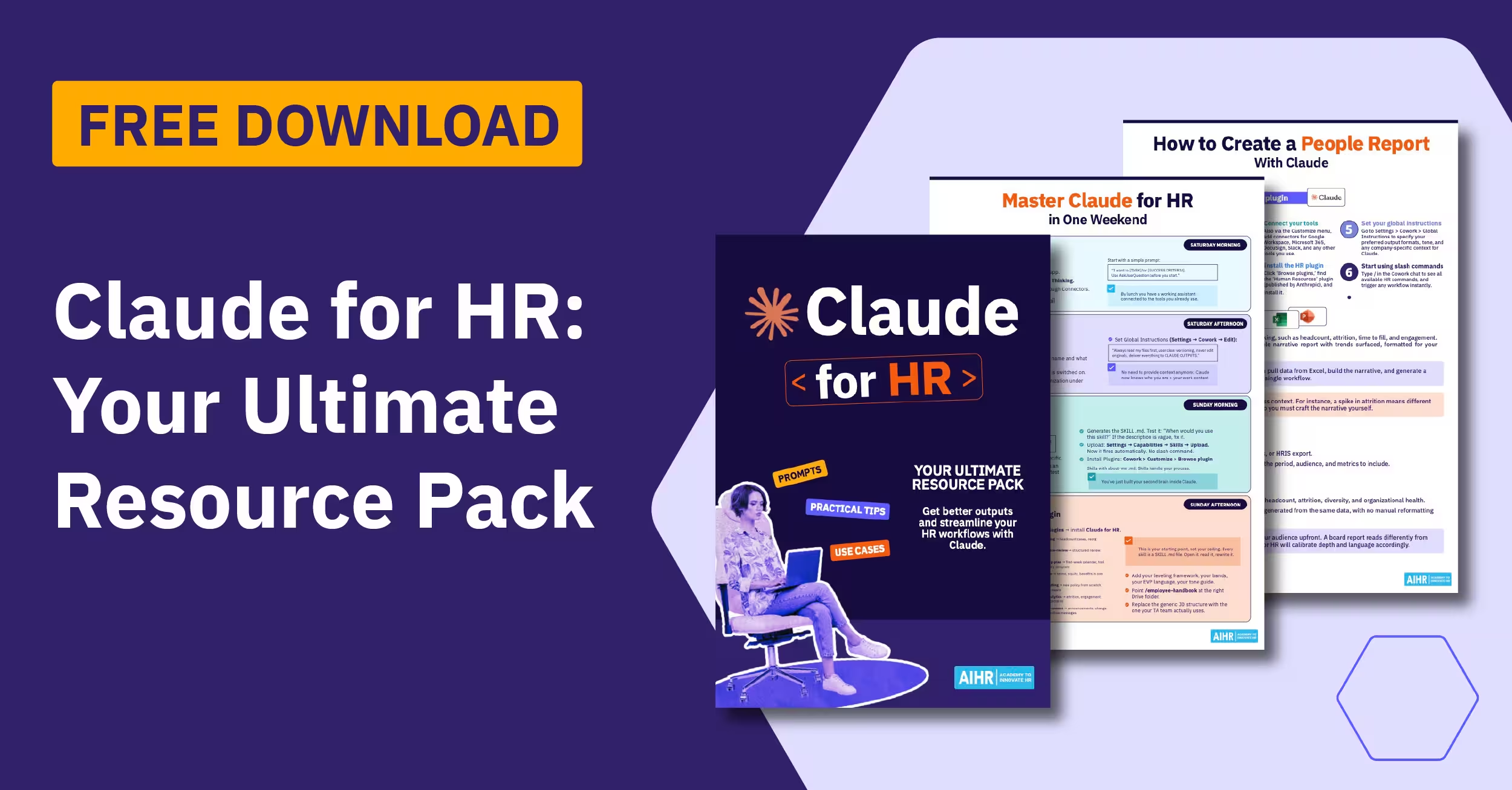
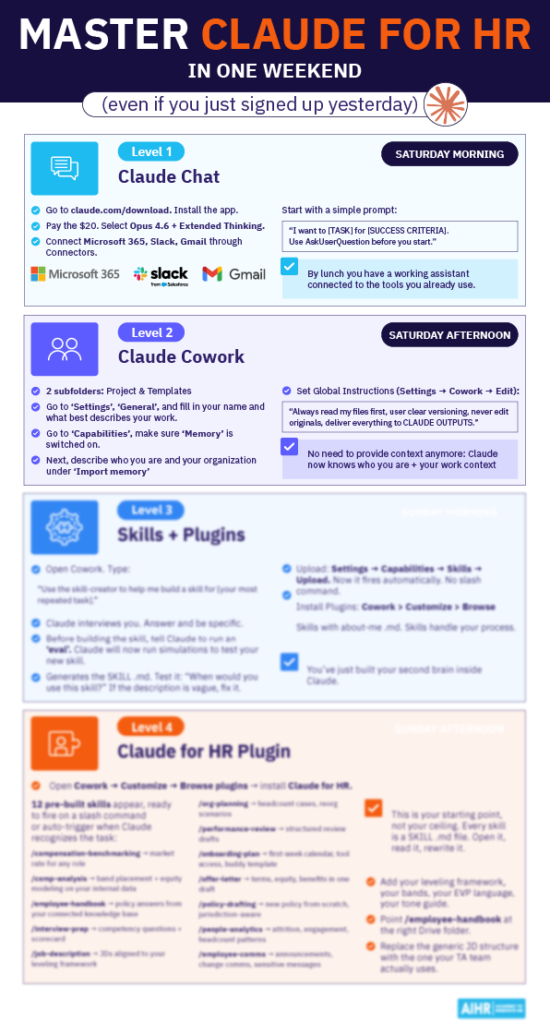
AIHR’s Claude for HR experiment found that Claude works best as a structured workflow assistant and first-draft engine. It can help HR teams prepare outputs faster, but it still needs review from an HR professional before anything reaches an employee, manager, or candidate.
Claude for HR can support repeatable workflows through Claude Cowork and its Human Resources plugin. Depending on your setup, it can work across connected tools, such as your ATS, HRIS, email, calendar, Slack, knowledge base, compensation files, and document repositories. The value comes from structure, not blind automation.
Built-in HR commands include:
- /draft-offer: Drafts an offer letter using approved role, compensation, start date, and employment terms.
- /onboarding: Builds role-specific onboarding checklists and 30-60-90 day plans.
- /performance-review: Creates structured review drafts, including achievements, development areas, competencies, and rating support.
- /policy-lookup: Finds policy content and rewrites it as an employee answer, FAQ, or manager briefing.
- /people-report: Creates reports on headcount, attrition, diversity metrics, and organizational health.
- /comp-analysis: Reviews pay data and flags outliers or possible equity gaps for further validation.
Use /comp-analysis with extra care. AIHR testing found error margins of up to 83% at senior individual contributor levels. Treat it as a rough orientation for junior or mid-level roles, not as a tool for making pay decisions. Validate all outputs against sources such as Ravio, Mercer, Figures, or your approved benchmarking platform.
Example slash command
/policy-lookup Explain parental leave eligibility for fixed-term contract employees in New York and rewrite the answer as a manager briefing for team leaders.
How to use ChatGPT in HR
ChatGPT is often strongest when you need speed, synthesis, and flexible drafting across high-volume HR work. Use it to turn rough inputs into clearer drafts, summarize feedback, create first-pass training content, and analyze structured files. Keep final decisions, sensitive communication, and compliance review with HR.
AIHR has identified six practical HR use cases where ChatGPT can add value:
- Handle repeatable admin tasks: Draft emails, summarize meetings, rewrite policies, prepare interview questions, and create onboarding documents.
- Support talent sourcing: Create job descriptions, Boolean search strings, interview rubrics, candidate outreach, and recruiting campaigns.
- Analyze turnover themes: Summarize engagement surveys, review exit interview themes, and identify patterns driving attrition.
- Improve employee communication: Draft pulse surveys, leader messages, recognition copy, wellbeing campaigns, and manager talking points.
- Customize onboarding and learning: Create onboarding plans, role-based learning content, FAQs, induction schedules, and training paths.
- Support policy research: Summarize legislation, compare policy approaches, and prepare first-draft benchmarking notes for HR review.
HR tip
Strong prompts produce stronger outputs. Use AIHR’s simple formula: objective + context + format. Tell ChatGPT what you want, why you need it, and how the output should look. That turns a generic draft into something closer to usable HR content.
ChatGPT also offers tools that can extend these use cases. Advanced data analysis can help review attrition, compensation, and DEIB (diversity, equity, inclusion, and belonging) files. Custom GPTs can support repeatable workflows, such as a benefits FAQ assistant. Microsoft integrations can help teams already working in Microsoft 365.
Example prompt
Write a job description for a [title] role in the [industry] sector. Include key responsibilities, required skills, preferred qualifications, and a short company overview. Format the output in a professional HR-friendly structure suitable for LinkedIn and ATS platforms.
You can find more examples in AIHR’s ChatGPT Prompts for HR guide.
Claude vs ChatGPT: How to decide which to use in HR
The best question is not “Is Claude better than ChatGPT?” The better question is: “Which tool should I use for this HR task?” Claude may suit long, sensitive, policy-heavy work. ChatGPT may suit fast drafting, flexible communication, multimodal work, and data analysis.
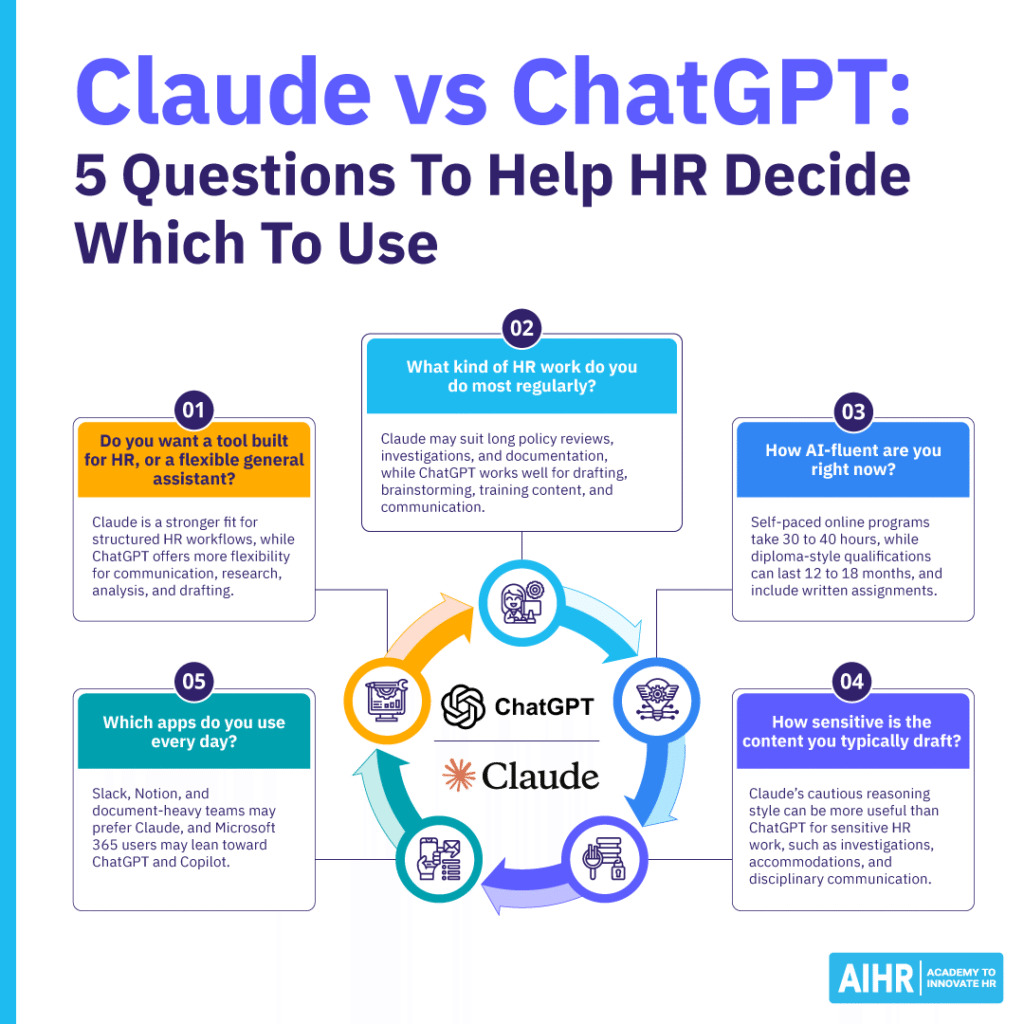
Use these questions to choose the right tool:
- Do you want a tool built for HR, or a flexible general assistant? Claude may feel more structured for operational HR workflows, while ChatGPT offers broader flexibility across communication, research, analysis, and drafting.
- What kind of HR work do you do most regularly? Claude may be better for long policy reviews, investigations, and structured documentation, and ChatGPT for high-volume drafting, brainstorming, training content, and communication.
- How AI-fluent are you right now? Claude’s structured workflows may feel easier for HR professionals earlier in their AI adoption journey, while ChatGPT rewards strong prompting skills.
- How sensitive is the content you typically draft? Many HR professionals find Claude’s more cautious reasoning style more useful than ChatGPT’s when conducting investigations, providing accommodations, or communicating discipline.
- Which apps do you use every day? Slack, Notion, and document-heavy teams may prefer Claude, while Microsoft 365 users often lean naturally toward ChatGPT and Copilot workflows.
A simple test works best. Choose one real task, such as reviewing an employee handbook section, drafting a performance review, or creating onboarding messages. Run the same task through Claude and ChatGPT for one week. Compare quality, editing time, accuracy, tone, and fit with your workflow.
Most HR professionals will use each tool for different tasks. Claude can help you slow down and check sensitive work. ChatGPT can help you move faster across everyday drafting and analysis. The real skill is knowing which output to trust, which one to edit, and which one to reject.
AIHR’s resources for HR professionals embracing AI
Building AI confidence takes more than trying random prompts. HR professionals need to understand tool selection, data privacy, bias, governance, and workflow design. AIHR offers practical learning resources that help HR teams use AI more intentionally across recruitment, workforce planning, communication, analytics, and HR operations.
Artificial Intelligence for HR Certificate Program
AIHR’s Artificial Intellifence for HR Certificate Program helps HR professionals apply AI in real HR settings. The program covers GenAI tools, prompt design, AI strategy, automation, governance, ethics, and practical implementation across HR functions, with a focus on responsible use and business impact.
Participants learn how to:
- Evaluate AI tools
- Improve operational efficiency
- Strengthen decision-making
- Lead responsible AI adoption inside their organizations.
Gen AI Prompt Design for HR Mini Course
AIHR’s Gen AI Prompt Design for HR Mini Course teaches HR professionals how to write stronger prompts for everyday work. It covers prompt structure, practical frameworks, and HR use cases across recruitment, employee communication, reporting, analytics, and policy creation.
Participants leave with reusable prompt templates and practical techniques they can apply across tools such as ChatGPT, Claude, Gemini, and other GenAI platforms. This helps HR professionals move from one-off experiments to more consistent, useful, and review-ready AI outputs.
Next steps
Start with one real HR workflow you already manage, such as reviewing a policy, drafting a performance review, writing onboarding messages, or summarizing feedback. Run the same task through Claude and ChatGPT for one week. Compare accuracy, tone, editing time, and how naturally each tool fits your workflow.
Set basic governance before expanding access. Define what HR data employees can upload, who approves AI-generated content, and when legal or compliance review is required. Then build prompt-writing and AI literacy skills, so your team can use GenAI to support better HR work without replacing human judgment.