
HR AI skills templates can help you use Claude for recurring HR tasks, from job descriptions to meeting notes. But HR AI skills templates only work when you give them the right context. AIHR research found that 35% of HR professionals feel ready to work with AI, while 38% upskill through self-exploration of AI tools.
This article draws on insights from AIHR experts Suhail Ramkilawan, Senior HR Solutions Advisor, and Marijn Verdult, Digital Growth Lead, to guide you on how to use five Claude skills templates effectively. It also includes these templates, which you can download for free and customize to suit your specific HR needs.
Contents
What is an HR AI skills template?
AI skills tips and tricks
5 HR AI skill templates you can use today
Why the AI skills description field matters
How to download, install, and start using an HR AI skill
What is an HR AI skills template?
An HR AI skills template, often built as a skill.md file, is a downloadable instruction file that tells Claude how to handle one recurring HR task. In this article, we’re sharing five Claude skills templates for job descriptions, policy FAQs, performance reviews, offboarding, and meeting notes.
It’s crucial to note that a generic skill is only as useful as the knowledge base behind it. If Claude doesn’t have your organization’s job architecture, grading, or policy documents, it will default to broad best practices. That output may sound reasonable, but it won’t fit your organization.
Suhail says, “Without that, it defaults to a best-practice approach. The policy FAQ must have a policy to review against; otherwise, you won’t have anything to reference. For performance reviews, you need your performance management philosophy, rating scales, and values, so the AI can speak in the business’s language. If you don’t give it the right input, the answers won’t be applicable to your organization’s context.”
Marijn adds, “If something needs to be hyper-localized or hyper-customized to your organization, the AI will never come up with that unless you tweak the skill.”
Anthropic engineer Thariq offers a useful “don’t state the obvious” principle. Claude already understands broad task patterns, so your skill doesn’t need generic advice. Focus on what Claude can’t know: your company’s policies, tone, approval thresholds, role levels, and HR vocabulary.

AI skills tips and tricks
A strong HR AI skill gets better over time. You don’t create it once and leave it alone. You update it when you spot patterns in weak outputs.
Thariq recommends building a “gotchas” section, which is a running list of mistakes Claude keeps making until someone updates the skill. For HR, this could include missing an escalation rule, using the wrong tone, or adding details not found in the source material.
Some HR tasks, like conducting an exit interview, benefit from AI judgment. Others, like offboarding communication, need zero creativity. Suhail says, “AI could offer judgment on what to do with feedback received during an exit interview, such as whether to escalate issues like harassment or legal flags to a manager or legal team.”
But departure dates, equipment return deadlines, and final pay should have no creative room, which means you should never let the skill infer these details. Rather, it should use only documented information, then flag missing fields for human review. It shouldn’t decide what happens next.
“The AI acts like a smart person looking over your shoulder to see if you forgot anything, but a human must remain in the driver’s seat,” says Marijn.
The practical takeaway here is that you shouldn’t correct the same mistake in every chat. Instead, add recurring issues to the skill’s “gotchas” section, refine the instructions, and test the output again.
“The AI acts as a smart person looking over your shoulder to see if anything was forgotten, but the human must remain in the driver’s seat.”

Tips for using Claude: How much freedom should you give it?
The right level of freedom depends on the risk of the task, and it’s important to avoid railroading Claude with overly specific instructions. Skills are reusable, and if every sentence is pre-written, Claude will add little value. However, that doesn’t mean every skill should be loose.
A policy FAQ or employee query response skill, for instance, should allow no fallback or guessing. It should answer only based on your organization’s uploaded policies. If the policy is missing, the skill should say it can’t answer. Without that guardrail, Claude may give a generic answer, which can create confusion or compliance risk when it comes to policy questions.
In contrast, a job description skill should be looser, especially if you don’t have a fixed template. According to Suhail, this is a great example where global best practices are sufficient as a starting point. “It’s actually okay to allow the AI some creativity here to help come up with ways to make the role more attractive to candidates.”
AI skills templates can help you identify good AI in HR use, but building those skills takes practice. Develop your AI knowledge alongside practical frameworks, so you can use these templates more effectively, and apply AI responsibly in your daily work.
AIHR’s Artificial Intelligence for HR Certificate Program teaches you how to:
✅ Understand AI fundamentals and apply GenAI effectively, safely, and securely in HR
✅ Write and refine prompts that produce higher-quality outputs for common HR tasks
✅ Use tools such as ChatGPT, Claude, and AIHR Copilot to improve HR workflows and productivity
✅ Identify valuable AI opportunities and support responsible adoption with a structured HR AI strategy
💡 Explore the AIHR Demo Portal to preview lessons, tools, and resources, and discover what you can learn next.
Marijn adds that even a rigid job description template should leave room for improvement. “We should rely on the AI’s intelligence to come up with something better than we would. If you templatize a job description to the extreme, where every sentence is pre-written and you just fill in the blanks with job titles or skills, that’s not great. If an intern can do better than that, an AI certainly can, and over-templatizing ruins that value.”
Performance reviews sit somewhere in the middle. You need consistency to support fairness across employees. But the template can’t be so rigid that it blocks useful comparison across roles, such as an engineer’s review and a marketer’s review.
Use this rule when adapting the five templates: reduce Claude’s freedom when the task affects consistency, compliance, pay, or ratings. Leave more room for judgment when the task involves drafting, persuasion, or one-off decisions.
“AI could offer judgment on what to do with feedback received during an exit interview. However, details like departure dates, returning equipment, and final pay should involve zero creativity to prevent the AI from hallucinating.”

5 HR AI skill templates you can use today
Creating your own skill from scratch can be time-consuming and challenging, especially if you’re new to AI. These five HR AI skills templates give you a starting point you can adapt to your organization. Here’s what each skill does and what it needs to create a useful output:
1. Job description skill
Drafts new job postings and adapts when there’s no fixed structure to follow.
It needs: An existing template if your organization has one. However, it can still work without one.
2. Policy FAQ/employee query response skill
Answers employee questions strictly from the policies loaded into Claude. If a policy is missing, it shouldn’t guess.
It needs: Actual policy documents and any existing FAQs.
3. Performance review skill
Turns a manager’s notes, ratings, and performance philosophy into a structured draft review and talking points.
It needs: Rating scales, existing documentation, company values, and house terminology.
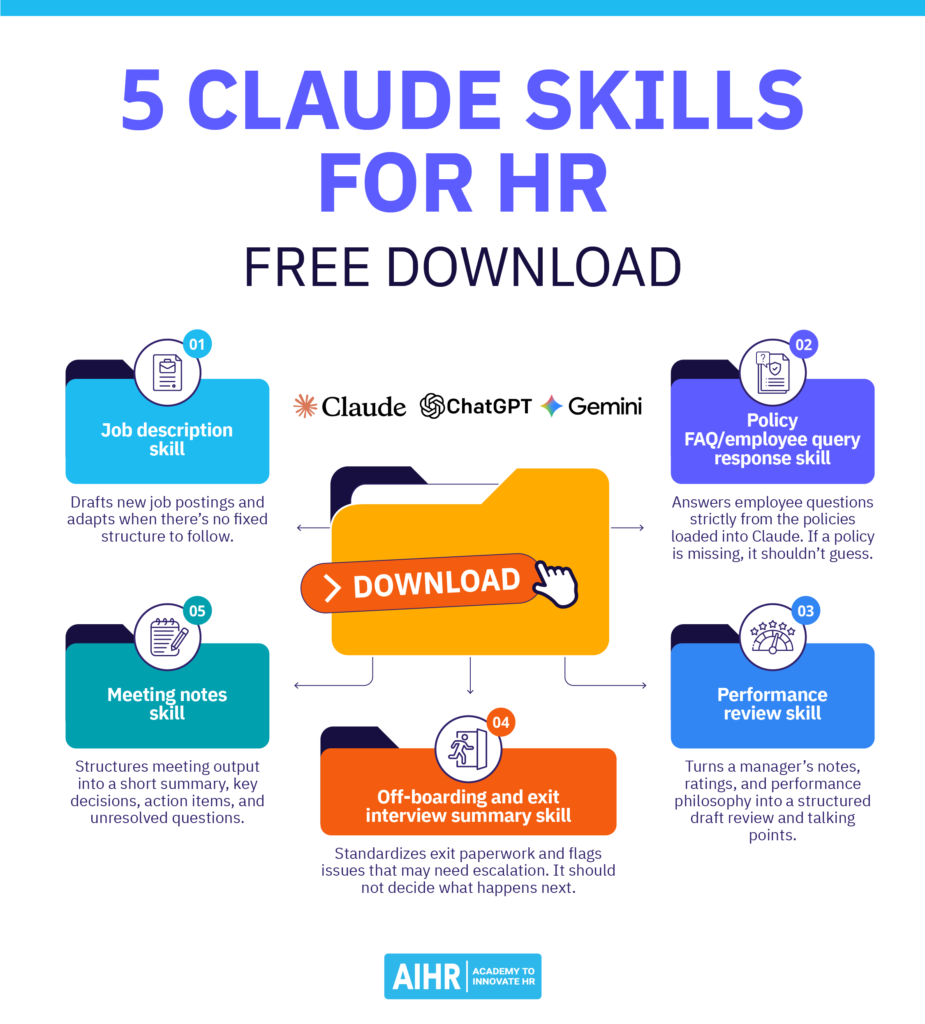
4. Off-boarding and exit interview summary skill
Standardizes exit paperwork and flags issues that may need escalation. It should not decide what happens next.
It needs: A checklist of required fields, such as departure date, equipment to return, final pay, contacts, and escalation rules.
5. Meeting notes skill
Structures meeting output into a short summary, key decisions, action items, and unresolved questions. This is the simplest of the five, because it works the same way for every team.
Marijn says, “It creates consistency because you know the exact same process will be followed. You are getting 80%, and the remaining 20% to make it your own could be having the AI automatically add open action items directly to your Trello board or Slack.”
It needs: Nothing beyond the meeting transcript or recording itself.
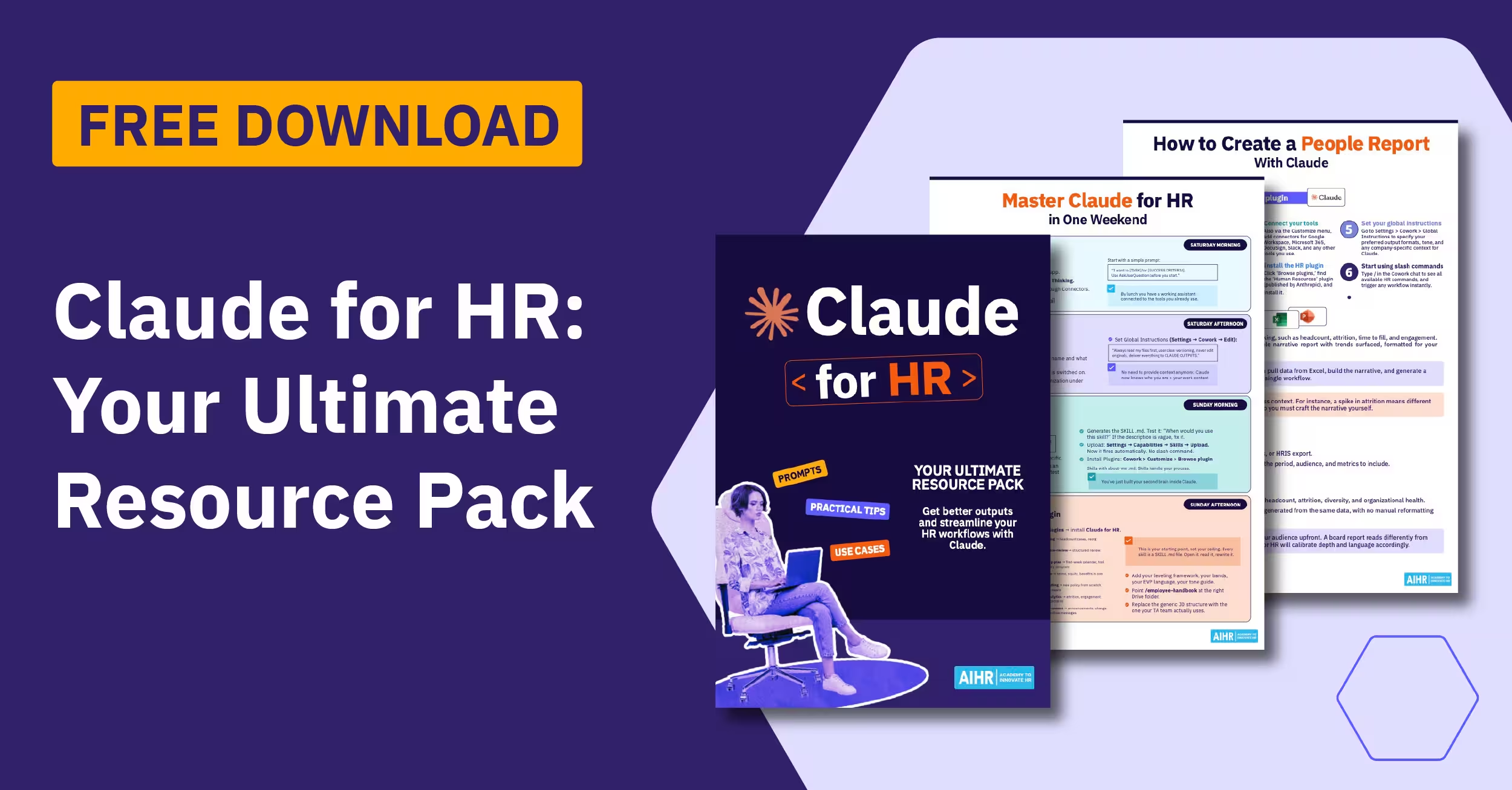
Access the downloadable skill.md template library Suhail created for these HR tasks, which cover key stages of the employee life cycle.
Why the AI skills description field matters
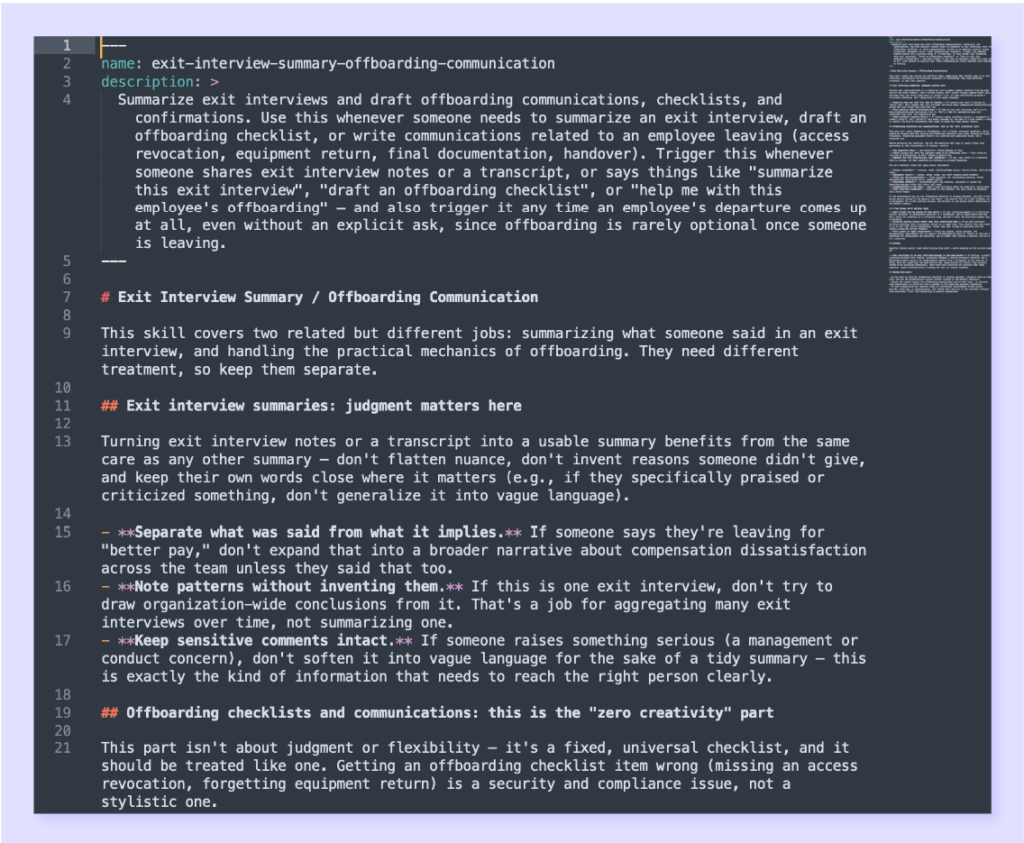
The description field is important as it tells Claude when to use the skill. After you upload and install a skill, you can edit it or start using it. You can call the skill directly, or Claude can trigger it when your request matches its description. For example, if you ask Claude to “summarize this meeting”, it can match that request to the meeting notes skill.
That’s why specific descriptions matter. A vague description, such as “helps with meetings”, may not trigger the skill reliably. A specific description, such as “use when the user asks to summarize a meeting, call, or transcript”, is much stronger. The five HR AI skills templates already include these practical triggers. Still, you can refine them further if a skill doesn’t run when expected.
Action to take: If one of the five skills templates doesn’t fire when expected, rewrite the description line at the top.
How to download, install, and start using an HR AI skill
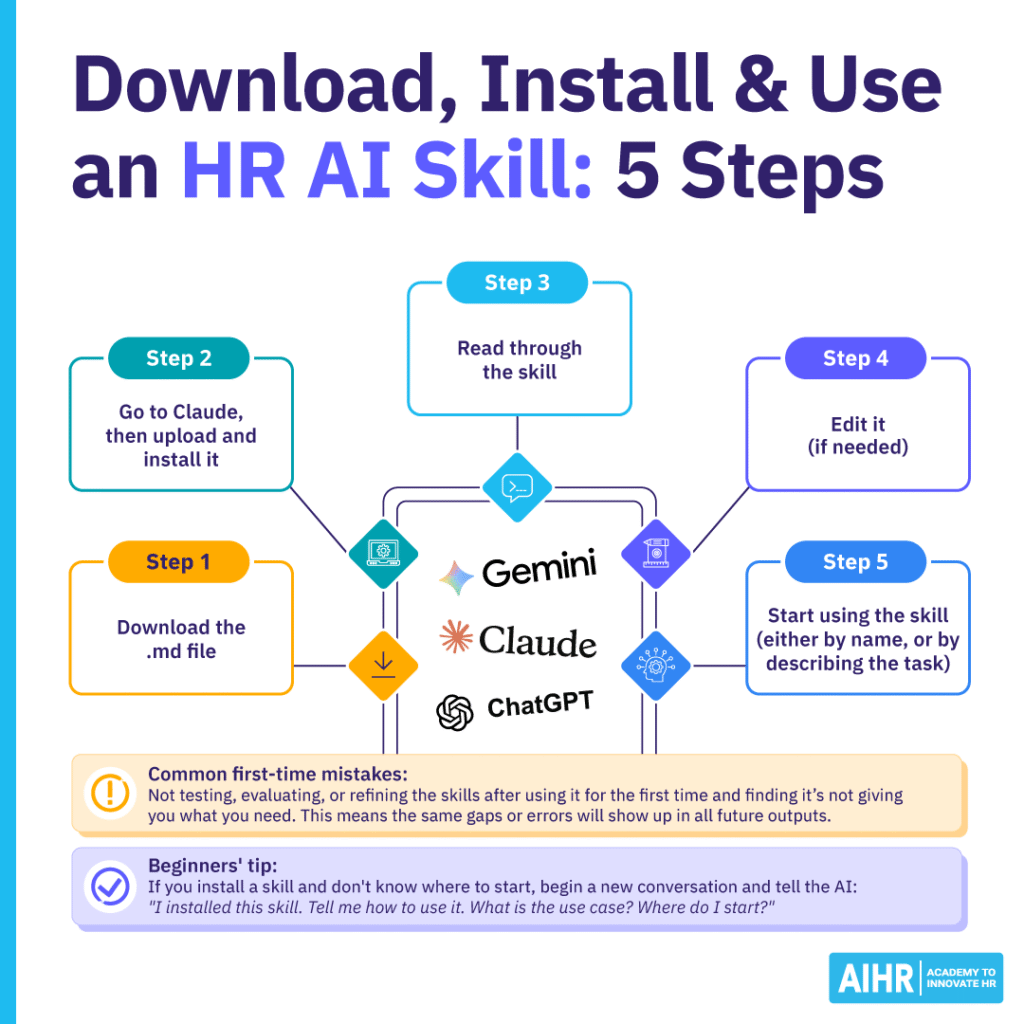
Here are the basic steps to start using the Claude AI skills templates:
- Download the .md file
- Go to Claude and upload and install it
- Read through the skill
- Edit it (if needed)
- Start using the skill (either by name or by describing the task).
Keep improving the skill over time to help Claude become more useful and produce outputs that match your organization’s needs. You can edit a skill manually in Claude’s skills settings by selecting the skill, choosing ‘edit’, making your changes, and saving them.
You can also paste examples of recent outputs that missed the mark, and ask Claude to suggest improvements to the skill. For example, Marijn suggests telling the AI: “Look at our past five conversations where I asked for meeting notes, look at where I got frustrated with the output, and improve the skill (based on this information).”
Common first-time mistakes include not testing, evaluating, and refining the skills after using them for the first time, and finding that they’re not giving you what you need. This means the same gaps or errors will show up in all future outputs. “If you don’t update the skill, you will always be fighting with it,” says Suhail.
Beginners tip on AI skills for HR professionals
“If you install a skill and don’t know where to start, begin a new conversation and tell the AI: ‘I installed this skill. Tell me how to use it. What is the use case? Where do I start?’ Asking the AI to teach you how to use a skill is a perfectly legitimate and smart thing to do,” says Marijn.
Next steps
Once you understand the basics, these downloadable HR AI skills templates can help you bring AI into everyday HR work across the employee life cycle. Start with one low-risk task, test the output, and update the skill before you use it in higher-stakes work.
To build stronger AI fluency, explore AIHR’s Artificial Intelligence for HR Certificate Program. The program covers the AI landscape, generative AI in HR, responsible use, productivity, and AI strategy, helping you use tools like Claude with better judgment and confidence.