
Rapid advancements in Human Resources automation have enabled HR departments to work more efficiently and effectively. Freed from tedious tasks, HR staff can devote more time to people-centered initiatives that support organizational goal achievement.
Core HR functions, like recruiting, onboarding, offboarding, timekeeping, payroll, and leave tracking, are essential to every organization. However, fulfilling these obligations leaves many HR departments drowning in time-consuming administrative duties and paperwork. A Deloitte report found that 57% of HR staff’s time is spent on administrative tasks.
Now that automation can streamline and speed up HR operations, companies are increasingly choosing to automate wherever possible. In fact, HR automation adoption surged by nearly 600% in recent years.
Embracing Human Resources automation sooner rather than later ensures your HR department stays competitive as work becomes increasingly digital.
Contents
What is HR automation?
11 HR automation examples
Benefits of HR automation
Challenges of HR automation
HR automation best practices for HR leaders
HR automation software providers
What is HR automation?
Human Resources automation (HR automation) uses software to handle repetitive, time-consuming administrative tasks, from data entry and approvals to notifications and record-keeping. It streamlines processes, reduces manual errors, and frees HR teams to focus on higher-value, strategic work.
Traditionally, HR automation followed fixed rules, such as routing a leave request to the right manager or syncing new-hire data across systems. Today, artificial intelligence (AI) is often part of the effort. AI-powered tools can screen resumes, draft job descriptions, answer common employee questions, and surface patterns in your people data. This moves automation beyond simply speeding up tasks toward supporting better decisions.
Both approaches are part of the broader shift toward digital HR. For most organizations, the real decision is no longer if they should automate, but which processes to automate first and how to do it well.

11 HR automation examples
Any routine, repetitive, or data-driven HR process can be automated. Below are 11 HR automation use cases and a few real-life examples of how companies automate their HR processes to benefit them and their employees:
1. Recruitment
Recruitment involves several tasks that lend themselves well to automation, such as:
- Posting job ads across multiple job search platforms
- Tracking responses
- Screening resumes
- Administering pre-employment assessments
- Sorting and prioritizing candidates based on set criteria
- Scheduling interviews and managing email workflows.
Automating these tasks reduces the administrative burden on HR and recruitment teams, allowing them to focus on candidate engagement and decision-making.
Global financial services corporation Mastercard was experiencing rapid growth, which resulted in a surging demand for high-volume hiring. Because it relied on a career site that lacked a real-time connection to its CRM database, an overburdened system, and manual interview scheduling, the talent acquisition team worried it was losing out on top talent.
That’s why Mastercard implemented a talent experience platform that linked the career site to both the application process and CRM. It also rolled out AI-powered interview scheduling.
As a result, job seekers began interacting longer with the career site and applying more frequently. Mastercard reaped the benefit of this automation by gaining 900% more candidate profiles and 85% faster interview scheduling.
2. Employee onboarding
Employee onboarding includes many administrative tasks, such as collecting documents for verification, signing forms, providing equipment access to new hires, and submitting device requests.
Onboarding automation runs the whole checklist for you: automated notifications and approvals, official PDF documents, and e-signed form collection.
Granting access to tools and systems is a good example. New hires can have their devices and app access ready before day one, each with permission levels matched to their role and granted automatically based on predefined criteria. As their responsibilities evolve, they can request expanded access and route it to their manager for approval.
KPMG didn’t have a preboarding process for new hires, which meant a long waiting period between signing their contract and their first day at work.
The company solved this issue by using an integrated and secure onboarding software solution. The onboarding process now starts as soon as the new employee signs the contract. New hires are automatically sent all the practical information they need to know from the app before their first day.
After two years of using the HR automation app, KPMG employees rated their hiring experience a 4.45 out of 5 and their first week a 4.12.
3. Offboarding
The offboarding process can often be overlooked, but it’s just as critical as onboarding. When done correctly, offboarding helps protect the company and leaves a good impression on former employees.
However, manual offboarding is time-consuming. There’s a potential for losing forms or having them completed incorrectly. In addition, there’s a risk of failing to protect the company from a compliance and security perspective. Automated offboarding ensures secure and streamlined employee departures.
HR automation software can extract data, validate information, and work through an offboarding checklist to:
- Complete and upload documents electronically
- Schedule exit interviews
- Update personal information
- Arrange the employee’s final paycheck
- Create requests for company equipment to be returned
- Cancel access to applications on a set date
- Update the company directory.
4. Paid leave management
Manually calculating and approving vacation days can be problematic since there are many tasks to do:
- Checking the employee’s leave balance
- Getting manager approval for leave requests
- Recording the leave for payroll circulation.
Additionally, if this falls on one person’s shoulders, there is much room for human error. Emails get forgotten, and there’s a risk of disruption when this person is on vacation or sick leave.
Leave management software can:
- Automate leave requests and approval through employee self-service portals
- Track leave balance with automatic updates
- Sync leave data with the payroll system
- Analyze leave data and produce reports
- Systemize leave regulations to maintain legal compliance.
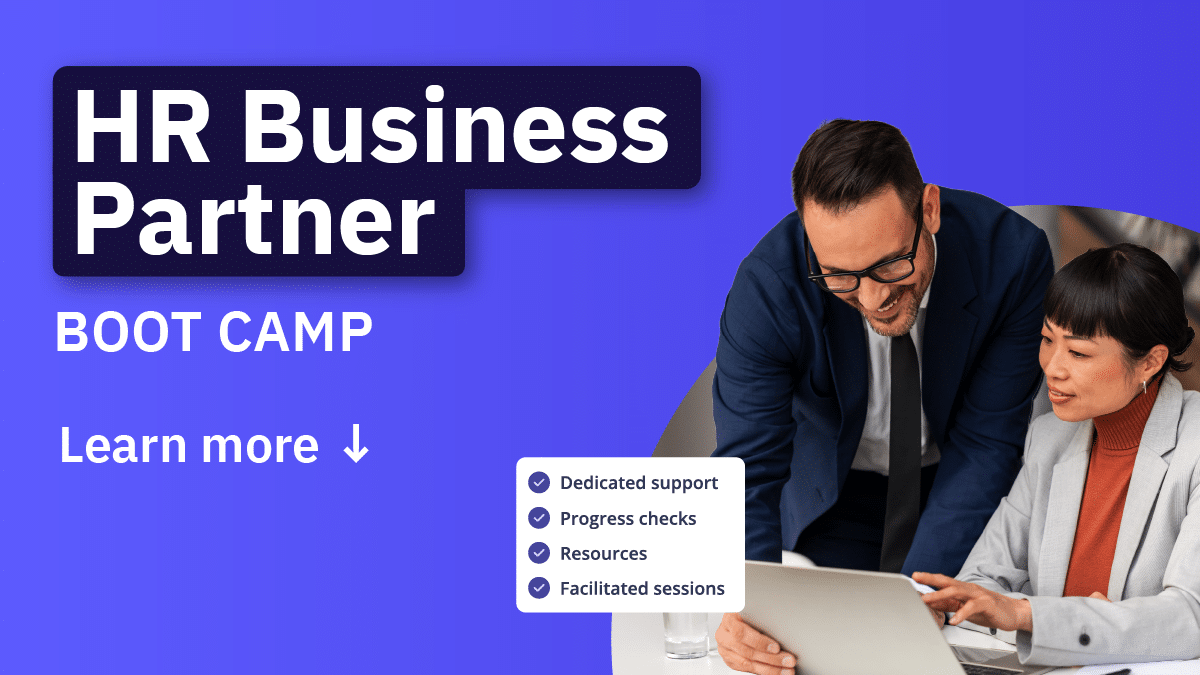
HR automation changes how work gets done across the business. HRBPs need the skills to identify business challenges, advise stakeholders, and use data to guide better decisions as organizations adopt new technologies.
AIHR’s HRBP Boot Camp helps HR teams build practical business partnering skills in 1–3 months:
✅ Diagnose business challenges using the CONSULT framework
✅ Use HR metrics to communicate impact and support decision-making
✅ Build influence and credibility with business leaders during change
✅ Apply AI tools to prepare for stakeholder conversations and communicate more effectively
🎯 Build the skills your HRBPs need to navigate technology-driven change.
5. HR compliance automation
HR compliance automation uses software to help your organization comply with employment laws, tax rules, and reporting deadlines with less manual effort. It applies current regulations to routine tasks, keeps a record of every action, and flags issues before they turn into liabilities.
Manual compliance work is slow and easy to get wrong. A missed filing date or an outdated policy can lead to penalties, back pay, or a failed audit. Automation lowers that risk by building the rules into the process itself. Common uses of HR compliance automation include:
- Applying the correct tax and labor rules to payroll across locations
- Tracking certifications, work permits, and mandatory training expiry dates
- Generating audit-ready records with time stamps and approvals
- Sending reminders for filing deadlines and policy renewals
- Flagging data that falls outside legal or policy limits.
For HR leaders, that means lower risk and a cleaner audit trail. One caution: rules change often and vary by location. Automation applies the rules you give it, so keep them current and review them with a qualified legal or compliance expert.
6. Expense claims
Many employees dread mundane manual tasks, such as submitting expense reports, which negatively impact their satisfaction at work. Traditional expense claims require completing a detailed form, submitting receipts, and waiting for manager approval. These forms can be filled out incorrectly, misplaced, or piled up on desks.
HR automation digitizes the expense process. Employees can upload a photo of their receipt from their phone, while expense management software automatically extracts the required data (amount, merchant, tax, etc.). Once an employee submits this, the corresponding manager is notified immediately and can approve or reject it. A controller then checks if the details are correct and processes them with one click. This saves employees up to 67% in processing time on average, eliminates human error, and gives companies a real-time spending overview.
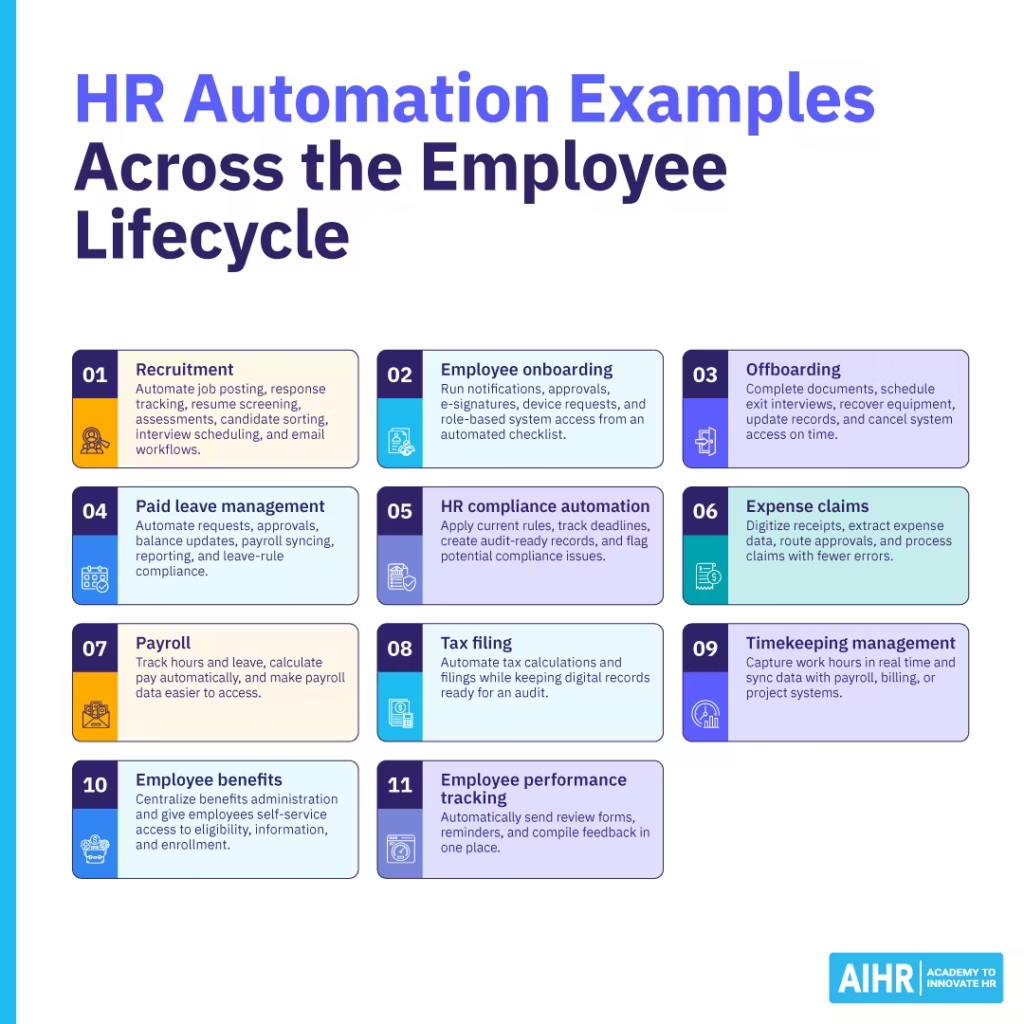
7. Payroll
Manually calculating the time or days worked, along with sick leave or vacation days, leaves much room for inaccuracies. This leads to employees being underpaid or overpaid.
Payroll automation can simplify the process by tracking and calculating everything automatically, simplifying payments, and making data much easier to access.
Construction general contractor Moncrief Construction Limited had a growing workforce that included both year-round and seasonal employees. The payroll system in place was based on paper timesheets that had to be mailed to the main office and manually entered by one person. It was not adequate to accommodate this larger, fluctuating staff.
By implementing an automated payroll system, employees could enter hours digitally on a desktop or mobile app. This made the payroll function quicker, easier, and more accurate and cost-effective. It also provided HR with comprehensive data and easy-to-understand reporting on overtime, time-off banks, and labor cost allocation.
8. Tax filing
There are different tax laws at local, state, national, and international levels, depending on an organization’s size and where it operates. This makes filing taxes complex, especially as laws are frequently updated.
HR tax software, based on relevant federal, state, and local regulations, handles tax calculations and filings to ensure employees and contractors receive the information needed to complete the correct submissions. It also provides a digital file that is easy to locate in the event of an audit. This makes tax law compliance more accurate, less arduous, and much faster.
9. Timekeeping management
Tracking work hours manually is extremely inefficient. Timecards can get misplaced or be filled out retrospectively with less accuracy.
Timekeeping software stores employees’ profiles, attendance records, and other data. It can capture work hours in real time with digital employee check-ins or computer activity monitoring. This information is automatically synced with payroll and even client billing or project management systems. Automated timekeeping makes the process simpler and more reliable, and produces immediate data analysis and reports.
10. Employee benefits
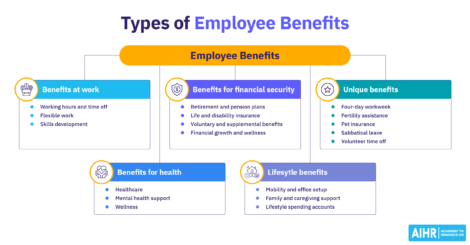
At some organizations, employee benefits administration, including health insurance, retirement plans, workers’ compensation, and other perks, entails repetitive processes and manual paperwork. Others use a benefits management service or a professional employer organization (PEO). Both of these situations can mean that employees have limited insight into the types of benefits available.
Benefits automation provides a centralized system for HR to manage benefits efficiently, accurately, and in compliance. For employees, it tracks their eligibility situations and offers a user-friendly, self-service way to understand and participate in their benefit options.
Luxury spa and retreat company Canyon Ranch had a manual, paper-driven benefits enrollment process that needed a refresh to reduce redundancies and become more efficient. The HR team also wanted to engage its diverse and multi-generational staff with relevant benefits information.
Canyon Ranch adopted a benefits management platform that gave employees on-demand access to their benefits, resource materials, and online enrollment. It also automatically updates each benefit vendor’s database when changes or corrections are made on the employer’s end.
The outcomes of online benefits enrollment include annual savings of approximately 120 administrative hours and $10,000 in labor costs.
11. Employee performance tracking
Running performance reviews manually means someone has to launch each cycle, send the forms, chase people for input, and compile the results. Automation takes over that workflow. The system starts each review on schedule, routes forms to the right managers and peers, sends reminders when input is overdue, and compiles every response into one view. Where your tool connects to other systems, objective metrics like sales from a CRM populate automatically.
With the busywork handled, HR and managers work from a complete, current record to support decisions about raises, bonuses, disciplinary action, or termination, and they prepare for performance reviews from full history.
Automating the workflow also makes reviews more consistent, since everyone follows the same criteria and schedule.
Auditing, accounting, and consulting firm Mazars had some inefficiencies in its performance management process. These included how employee review forms were distributed and collected, converting performance data from forms to spreadsheets, and lacking a cohesive method for performance data reporting.
A performance management software product replaced Mazars’ outdated system with one-step information dissemination, automated reminders, an employee self-service portal, and instantaneous performance data reports.
This saved HR and managers all the hours they had previously spent issuing and tracking down forms, sending out reminders to complete appraisals, and locating and assessing performance data.
Benefits of HR automation
The automation of HR processes has become essential in the business world of today, and for good reasons. Here are some of the main advantages of HR automation:
Improved efficiency
HR management largely depends on document-driven processes. When done manually, this can be time-consuming, repetitive, error-prone, and extremely inefficient. Paperwork can get “stuck” in a queue or on one person’s desk. What’s more, requiring people to come to the office or send in forms signed by hand now seems redundant.
Automating HR tasks increases productivity and efficiency across the business. This allows HR teams to focus on strategic tasks and advocate for employees through culture building, coherent communication, and effective people practices.
Actionable insights
HR automation runs on data, and it produces more of it with every task. Every workflow completed through the system, instead of paper or spreadsheets, is captured as a structured, time-stamped record in one place.
With that data connected across systems like your applicant tracking system (ATS), learning management system (LMS), and performance management tools, you can spot patterns you could not see before. For example, it can show that high performers tend to come from certain sourcing channels, or that onboarding bottlenecks delay time to productivity. You can then fine-tune recruitment, speed up onboarding, and adjust training content based on engagement and outcomes.
Reduced errors
Manual handling of payroll, timesheets, and leave calculations increases the risk of mistakes. Automated systems perform these tasks quickly and consistently, helping to reduce costly errors and maintain compliance and data accuracy. This also supports transparency and fair treatment.

Improved communication and collaboration
Automated workflows make responsibilities and task ownership visible, like who approves a job requisition or where a performance review is stuck. This reduces back-and-forth, helps teams coordinate more smoothly, and avoids missed steps or duplicated work.
Reduced paperwork and better record-keeping
Paper-based systems require printed documents that must be filed and stored physically. Automation minimizes the need for storage, lowers administrative costs, and makes it easier to retrieve records with just a few clicks.
Positive experience for job candidates and employees
When HR and recruitment teams are bogged down by admin, they have less time to engage with candidates, leading to a poor hiring experience, even for those who get the job. Automation frees up the time to stay connected with applicants throughout the process.
Employees also benefit from automation through self-service. They can get their leave requests, expense reports, and benefit updates handled more quickly. For instance, they can check their benefit status without waiting for HR to respond, leading to a smoother and more positive experience overall.
HR tip
HR automation won’t fix ineffective processes. If policies or workflows are poorly designed or based on flawed logic, automation will only speed up bad results. Review and improve your HR practices before automating them.
Challenges of HR automation
HR automation delivers real gains, and the rollout takes careful planning. Prepare for these common challenges:
Initial cost
HR automation software, training, and system integration require a significant investment of time and money. These costs can be substantial, especially for smaller organizations. It’s important to secure leadership support early by clearly demonstrating how the long-term benefits, such as efficiency gains and cost savings, outweigh the initial expenses.
Integration issues
Unless you’re completely replacing your entire HR system, adding automation tools requires integration with what is already in place. For example, new payroll software might not sync well with your time-tracking or benefits platform. Getting different systems to “talk” to each other is complex and time-consuming. However, compatibility issues that result in data silos or extra input to keep everything consistent defeat the purpose of automation.
Employee resistance
Introducing new tools can disrupt familiar workflows. Some HR staff may worry about losing their jobs, while others might doubt whether the new systems will work as promised. Employees outside of HR may also hesitate to use self-service features, either due to unfamiliarity or discomfort with technology. This resistance can hurt morale and slow down adoption.
Outdated HR operating model
Automation and AI change what HR work involves, so the operating model has to change with it. When AI absorbs routine execution, the roles and structures built around that work need rethinking.
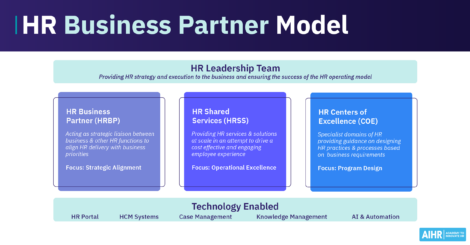
The HR business partner (HRBP) is one clear example: as AI takes over much of the coordination and admin, the role can move toward the strategic work the business actually needs. If you automate the tasks but keep the same structure, you free up hours without gaining strategic value from them.
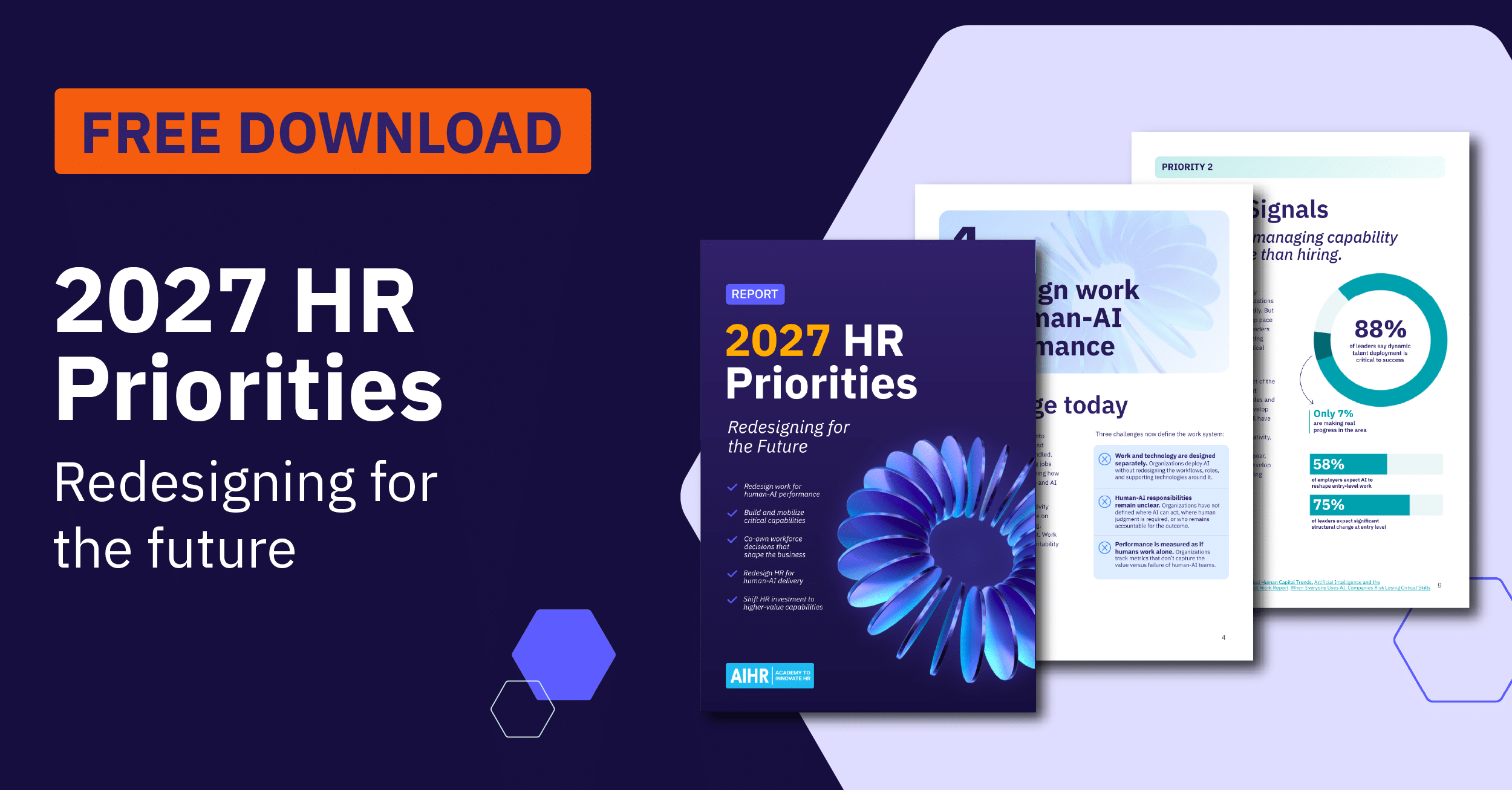
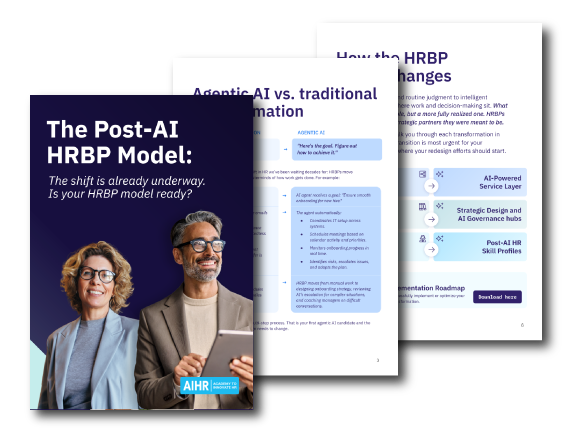
Download AIHR’s Post-AI HRBP Model Guide to see how one core role evolves as AI takes on routine work, with redesigned role profiles and guidance on rebuilding workflows around AI.
HR automation best practices for HR leaders
Strong results from automation in HR depend on a disciplined rollout. These best practices help you plan the work, reduce risk, and build long-term value across your HR function. Treat the effort as strategic HR automation: tie each project to a business goal rather than automating tasks at random. With AI now extending what you can automate, a clear plan is even more important.
1. Map and prioritize your current processes
Successful automation of HR processes starts with a clear picture of how work flows today. Document each one before you automate it, then look for steps that are manual, repetitive, or slow. Fix broken workflows first, because automation only speeds up whatever you give it.
Rank your processes by volume and frustration to decide the order of work. That ranking becomes your HR automation roadmap, a sequenced plan showing what to automate first and which can wait. A quick way to start:
- List each step and who owns it
- Time how long each stage takes
- Rank processes by volume and pain.
2. Choose tools that fit your needs and can scale
Match tools to your priorities, budget, and technical capacity. Check integration, scalability, ease of use, and vendor support before you commit. Confirm a new tool syncs with your core systems, so you avoid double data entry. For example, if payroll runs in one system, verify that a new leave management tool feeds it directly before you buy. Secure approval from senior leaders and gather input from IT and HR staff early.
Many tools now include AI features such as resume screening, chatbots, and pattern analysis. Evaluate these with care. Check how the AI uses your data, whether it carries bias risk, and how much human oversight it allows. Set clear governance before you roll AI-based tools out to employees.
HR tip
Startups and smaller organizations should be cautious about investing in HR automation software that isn’t scalable. What works well now may become obsolete as the company grows.
3. Pilot before a full rollout
Test your automated HR workflows with one process or one team before you launch company-wide. A pilot surfaces problems while they are still small and cheap to fix. Set clear success measures, gather user feedback, refine the workflow, then scale.
For example, automate onboarding for one department before rolling it out across the company. Run it for two new-hire cycles, then check where new hires get stuck, which steps still need manual work, and whether IT provisioning happens on time. Fix those issues, then expand to the next department.
A simple pilot plan could look like this:
- Pick one process and one team
- Run a 30- to 60-day pilot
- Define what success looks like in advance
- Collect feedback, fix issues, then expand.
4. Build in data security and compliance from the start
HR systems hold sensitive employee data, so protect it from day one. Limit access by role, encrypt records, keep audit logs, and confirm relevant vendor security certifications. Meet data protection rules like the California Consumer Privacy Act (CCPA) and General Data Protection Regulation (GDPR) where they apply.
For example, restrict payroll data to payroll staff rather than the whole HR team. Requirements differ across countries and states, so have your data protection or legal team sign off before launch.
5. Train your team and support adoption
Adoption rises when people understand the tools and know where to get help. Run role-based training so recruiters learn the applicant tracking workflow and managers learn approvals, then follow up with a quick-reference guide and ongoing support.
Tool skills are only part of the picture. HR professionals also need the judgment to spot where automation adds value and the ability to apply it responsibly. Two capabilities matter most. Digital agility helps your team read a process, see where technology fits, and redesign the workflow around it. AI fluency helps them use AI tools well, question the output, and handle data and ethics with care.
These skills take deliberate development. AIHR’s HRBP Boot Camp builds the business-partnering judgment HR teams use to improve how the HR function performs and delivers value. The AI for HR Boot Camp develops practical AI fluency across the team, from prompt design to responsible, ethical use. Both run as cohort-based programs, so your team builds these skills together and applies them to real work.
6. Keep a human option available
Automation and self-service should never remove access to a person. Give employees a clear route to a real contact for anything a system cannot resolve. This matters more as AI handles more first-line questions, since some cases still need human judgment.
For example, add a “Contact HR” button on your self-service benefits page that routes to a named advisor or a monitored inbox.
7. Track the ROI of HR automation
Automation is an investment, so measure what it returns. Set a baseline before launch, then track the same metrics after, so you can show the change in plain numbers. Compare the gains against the full cost of the tool, implementation, and training.
Measure both sides of the equation:
- Return: time to hire, time to productivity, payroll error rate, approval cycle time, self-service adoption, and HR hours freed for higher-value work
- Cost: software fees, setup and integration, and staff time to run the rollout
Some results come fast, and others take months. Early signs like tool usage and faster processing tell you whether the bigger cost and error savings are on track, so you can fix a weak rollout early.
Let’s take a look at how to estimate HR automation ROI:
- Measure the hours a process takes before and after, multiply the hours saved by your loaded hourly cost, then weigh that against the annual tool cost. For example, if manual leave processing takes your team 40 hours a month and automation cuts it to 10, that is 30 hours saved every month.
- Multiply those hours by your loaded hourly cost, then add the payroll correction time you save by catching errors automatically.
- Together, that gives you a return to set against the software price.
- To price the error side, count the correction work you avoid. Multiply your error rate by the average time to fix one error, then by your loaded hourly cost. A team fixing 20 errors a month at 30 minutes each spends 10 hours on rework that automation can reduce. This captures the staff time you recover, which you can quantify in your calculation. Higher costs, like unrecovered overpayments and late-filing penalties, are real, so factor them in separately when they apply.
Review results monthly for the first quarter, then quarterly.
HR automation software providers
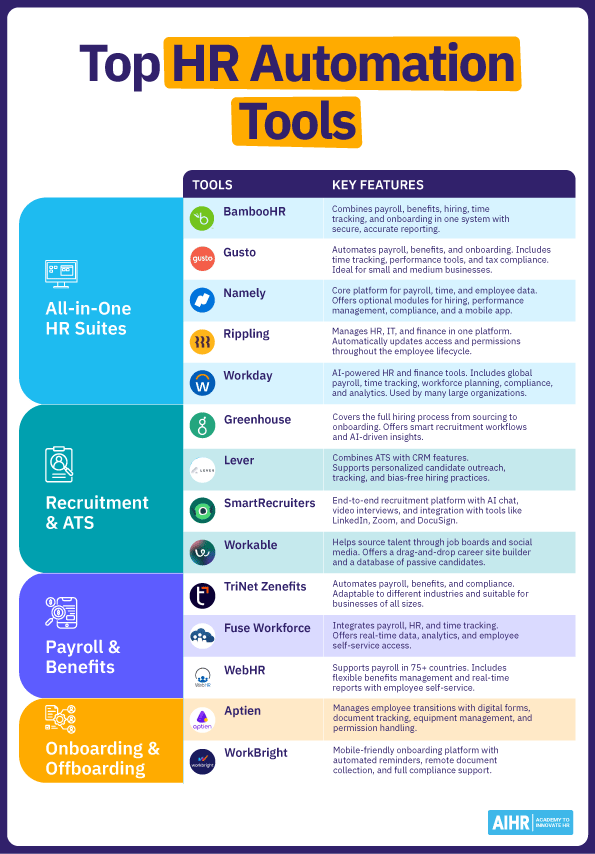
With a wide range of software providers available, there are many HR automation tools to explore. Each product offers diverse features, analytics, and integration capabilities. Selecting a suitable option(s) for your organization depends on your HR priorities, workforce size, and budget.
Here is an overview of a variety of HR automation solutions to consider:
All-in-one HR suites
Recruitment and applicant tracking
Payroll and benefits administration
Onboarding and offboarding
- Aptien is a configurable employee onboarding and offboarding management system. The onboarding solution includes document management, electronic forms, benefits selection, and equipment checkout. Offboarding provides smooth employee departures and legal compliance with key information/responsibilities transfer, password/permission suspension, and equipment return.
- WorkBright provides fully remote, mobile-friendly onboarding for any organization. It allows you to manage new hire paperwork and employee files from anywhere with full compliance. An easily accessible onboarding process with automatic reminders throughout ensures successful candidate conversion.
Over to you
HR automation is a transformative force that creates more efficient and accurate ways of working across an organization. It supports data-driven decision-making and enables greater consistency and compliance. This allows HR departments to become more agile and able to better serve the organization with efficiency and an improved employee experience.
Although a large portion of HR responsibilities are automatable, some can never be. The human mind is still irreplaceable in areas such as strategic planning and navigating the dynamics of complex employee interactions.