

HR teams need reliable people data to make better decisions, spot workforce trends, and show the impact of their work. But building dashboards, KPI trackers, and analysis tools from scratch can take time you don’t always have.
This free HR analytics Excel template bundle gives you practical, ready-to-use resources to analyze workforce data, improve HR reporting, and support better people decisions without setting up every spreadsheet yourself.

What’s included in the free HR analytics Excel template bundle?
The bundle includes Excel-based templates, calculators, dashboards, and tools to help you work with HR data more efficiently. Here’s what you’ll get:
1. Recruiting metrics template
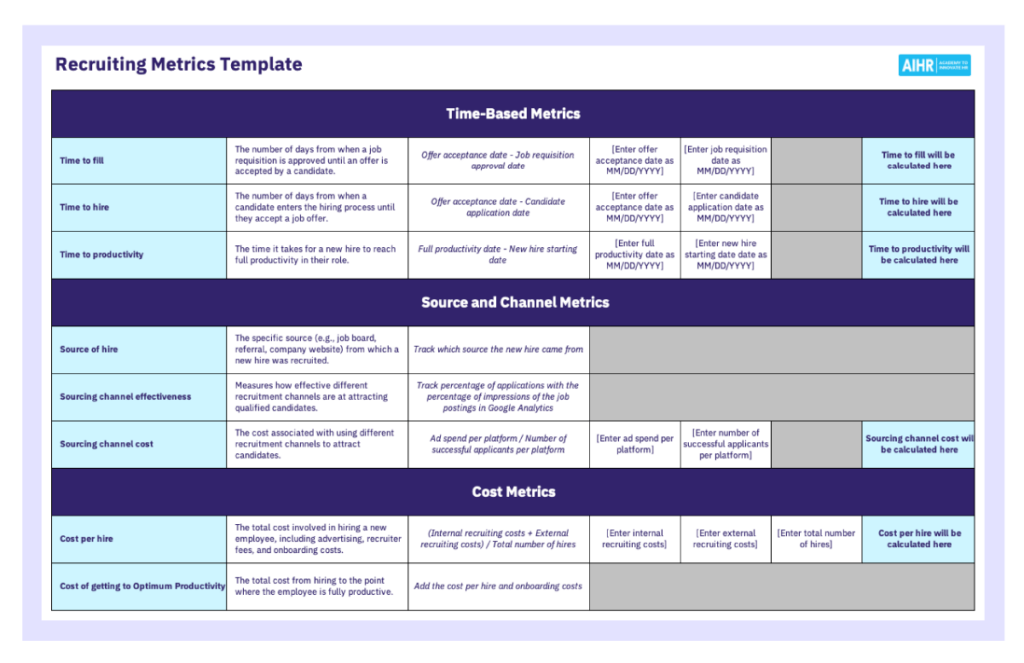
Measure key recruiting metrics across hiring speed, cost, quality, candidate experience, recruiter performance, and compliance-related areas.
This template includes:
- Time-based recruiting metrics, such as time to fill, time to hire, and time to productivity
- Cost, quality, volume, efficiency, and candidate experience metrics
- Input fields and automatic calculations for selected recruiting metrics
2. Headcount record dashboard template
Create a clearer overview of workforce data and headcount changes with a structured dashboard and tracking sheet.

This Excel template includes:
- A tracking sheet for employee and employment data
- Demographic descriptions and calculation sheets to support dashboard reporting
- A headcount dashboard with quarterly views
3. Compensation analysis template
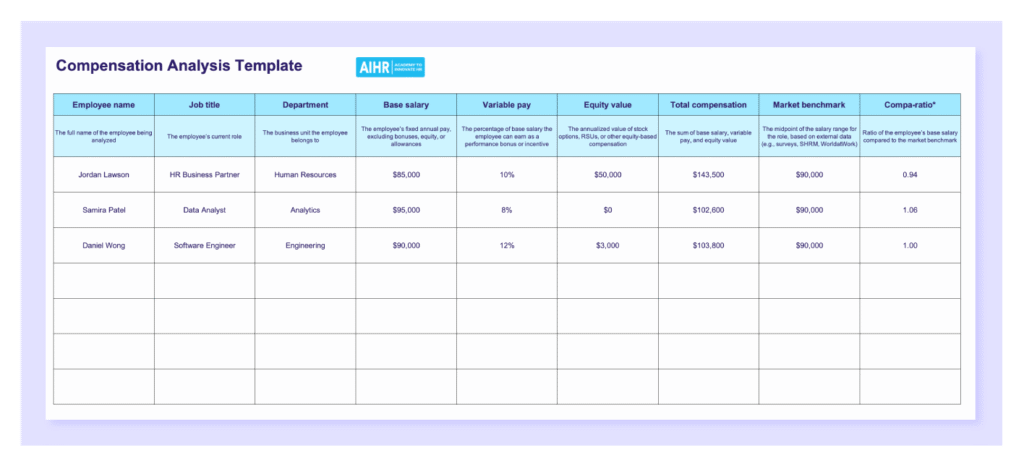
Review employee compensation data and compare pay against market or internal benchmarks in a structured way.
This Excel template includes:
- Fields for base salary, variable pay, equity value, total compensation, and market benchmark
- Automatic compa-ratio and total compa-ratio calculations
- Adjustment needed and raise priority fields to support compensation review.
4. Attrition rate calculator
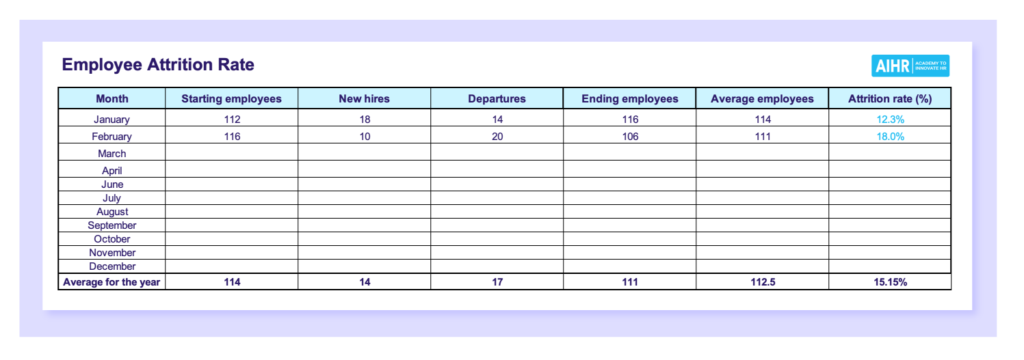
Calculate employee attrition across different time periods and compare results to identify trends or spikes.
This calculator includes:
- Automatic attrition rate calculations
- Monthly, quarterly, and annual attrition rate sheets
- Fields for starting employees, new hires, departures, ending employees, and average employees
5. Employee turnover rate calculation
Calculate employee turnover rate by month, quarter, or year using a simple Excel-based structure.
This calculator in Excel includes:
- Automatic turnover rate and yearly average calculations
- Monthly, quarterly, and annual turnover rate sheets
- Fields for starting employees and terminations

6. HR Excel formulas
Practice and apply useful Excel formulas for working with HR data more efficiently.
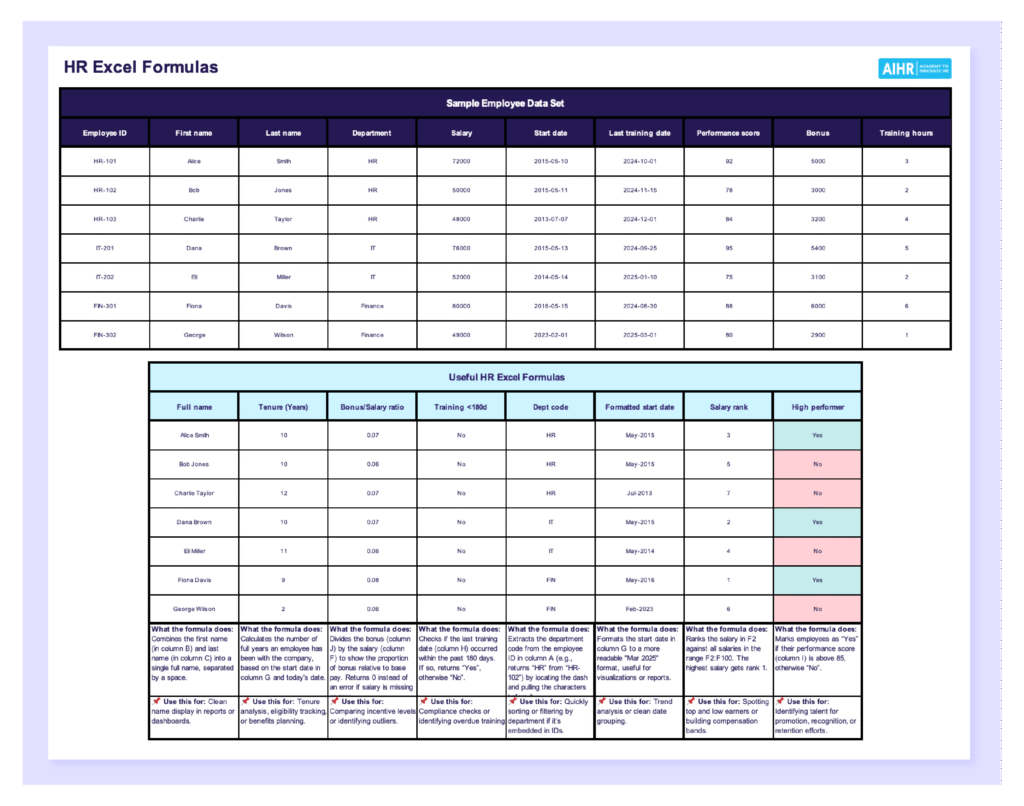
This Excel resource includes:
- Notes explaining what each formula does and when to use it in HR reporting or analysis.
- A sample employee data set
- Formula examples for fields such as full name, tenure, bonus-to-salary ratio, salary rank, and high performer status
Download your free template bundle
Click the button below to access your free HR data analysis template bundle. The templates will be sent straight to your inbox.
You can also explore our Certificate Programs, preview the learning platform, and find the right next step for your HR career.