What is your workforce data telling you? Organizations today expect HR to support decisions about turnover, hiring effectiveness, skills gaps, and workforce planning with evidence. HR must also identify patterns in employee behavior, communicate insights clearly to leadership, and display better workforce insight.
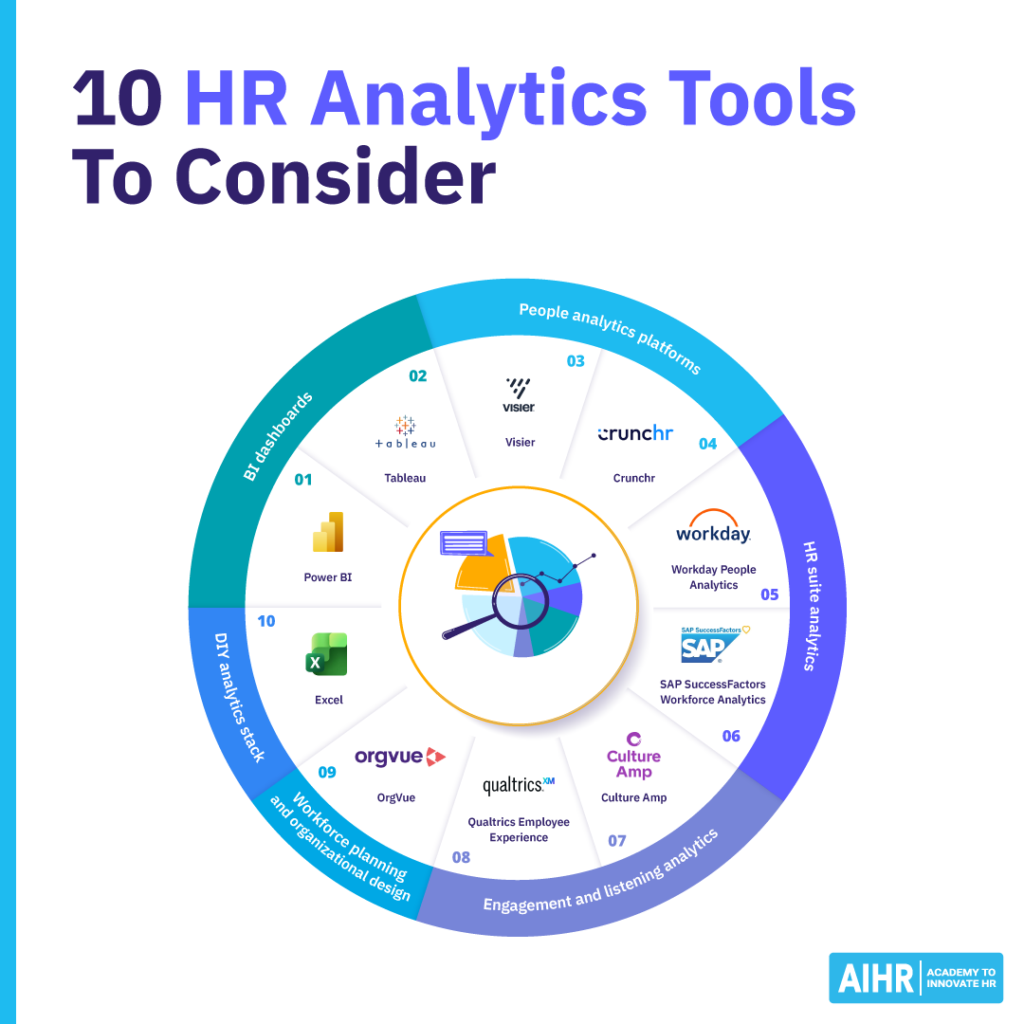
To achieve the above, you need to understand the tools behind HR analytics. In practice, most organizations rely on a stack of tools, each serving a different purpose. Below, we outline the 10 most widely used HR analytics tools today and where each one fits in your HR function.
Contents
10 best HR analytics tools to consider
– BI dashboards
– People analytics platforms
– HR suite analytics
– Engagement and listening analytics
– Workforce planning and organizational design
– DIY analytics stack
How to choose the right HR analytics tool

10 best HR analytics tools to consider
Here’s a list of 10 HR analytics tools that could help make your HR operations smoother and more efficient:
BI dashboards
These tools help you turn workforce data into clear visual HR dashboards that leaders can easily understand. They make it easier to monitor metrics such as headcount, hiring activity, employee turnover, and workforce diversity. When these are displayed visually, patterns become easier to spot, and you can quickly see whether a trend is improving, stabilizing, or becoming a risk.
Dashboards also reduce the amount of time spent compiling manual reports. Instead of preparing static monthly presentations, you can view workforce data in real time and interpret what those numbers mean for the organization.
1. Power BI
Microsoft’s Power BI simplifies the aggregation, analysis, and visualization of data. It allows you to connect to and combine multiple data sources in one large database suited for reporting or analysis. You can then use Power BI’s dashboarding capacity to transform your data into a dashboard.
It’s best for building HR dashboards and visualizing workforce metrics across multiple systems.
What it does for HR teams:
HR teams use Power BI to turn workforce data into visual dashboards that combine data from multiple systems and present it in a single central view.
For example, you can track headcount growth across regions, recruitment pipeline activity, turnover trends, and diversity across leadership levels. Because dashboards update automatically, you no longer need to compile reports manually each month.
Power BI also allows users to drill down into workforce data. If turnover rises, for instance, you can quickly see the affected departments, job levels, or locations. This helps shift the conversation from reporting numbers to understanding workforce dynamics.
Many organizations also combine HR data with financial or operational data in Power BI. This helps leaders see how workforce changes affect productivity metrics, labor costs, and organizational performance.
Typical HR data sources include HRIS systems, ATS, payroll, engagement survey platforms, Excel files, or CSV exports.
What to watch out for:
Data integration across HR systems can take time, as you must first consistently define workforce metrics, and ensure that permissions protect sensitive employee data.
Check out AIHR’s HR Data Analyst online course to learn how to aggregate data from multiple Excel sheets, visualize this data, and create HR dashboards and reports using Power BI.
2. Tableau
Tableau is similar to Power BI in that it enables aggregating and visualizing data from various sources. Founded in 2003 as a commercial outlet for research produced at Stanford University, the software has become well-renowned for its visualization capabilities.

It’s best for interactive workforce data visualization.
What it does for HR teams:
HR and business analytics teams use Tableau to explore workforce data visually and identify patterns that may not be obvious in spreadsheets.
Tableau dashboards allow you to filter workforce data by department, location, job level, or tenure, making it easier to see how trends vary across the organization. You can analyze promotion patterns, identify recruitment bottlenecks, or track diversity across leadership levels.
Tableau is particularly useful when analyzing large datasets from multiple systems. You can combine and visualize data from HRIS platforms, recruitment systems, and survey tools in a single environment. This is handy in HR leadership meetings, as it helps leaders understand workforce trends quickly.
Typical HR data sources include HRIS platforms, ATS, payroll, enterprise data warehouses, and survey platforms.
What to watch out for:
You must structured your data well, and require strong analytical skills to build reliable dashboards. Additionally, licencing costs may be higher than those of some alternatives.
People analytics platforms
People analytics platforms are designed specifically for workforce analytics. Unlike general dashboard tools, they include HR-focused metrics and models that help organizations analyse workforce behaviour and outcomes.
These platforms typically combine data from multiple HR systems and apply analytics models to answer key workforce questions. For example, you can analyze why employees leave, whether promotion pathways are equitable, or where skills gaps are emerging.
Because they’re made for HR analytics, these platforms often include pre-built workforce metrics and dashboards. This allows you to start analyzing workforce trends more quickly than if you were building dashboards from scratch.
Master HR analytics to strengthen your business impact
Build the skills you need to turn HR data into actionable insights that improve HR decision-making, boost employee retention, and drive business success.
🎓 The People Analytics Certificate Program will teach you how to:
✅ Analyze and visualize workforce trends using Excel and Power BI
✅ Build predictive models to anticipate attrition and skill gaps
✅ Present data-driven recommendations that influence leadership decisions
3. Visier
Visier is a data aggregation service built to answer questions about the workforce. It connects to different HR systems and combines them into one HR BI tool. Unlike Tableau, Visier brands itself more as an actionable people analytics insights platform that shows trends in workforce data, and enables you to answer questions about different HR outcomes.

It’s best for deep workforce analytics.
What it does for HR teams:
Visier is one of the best-known people analytics platforms used by large organizations. It aggregates workforce data from multiple HR systems and applies analytics models designed specifically for HR questions.
For example, it can analyze employee attrition patterns by looking at employee tenure, compensation and benefits changes, job progression, and engagement levels. This helps HR teams identify employee groups at risk of leaving.
The platform also provides analytics on workforce diversity, internal mobility, and talent pipelines. With these insights, you can examine workforce patterns across the organization and identify where intervention may be needed.
If you want to move beyond basic HR reporting and gain a deeper understanding of workforce dynamics, Visier supports both operational HR analysis and strategic workforce planning.
Typical HR data sources include HRIS platforms, payroll, L&D, talent management systems, and engagement survey tools.
What to watch out for:
This tool requires well-structured HR data and clear data governance policies. You also need strong analytical capability to accurately interpret results.
4. Crunchr
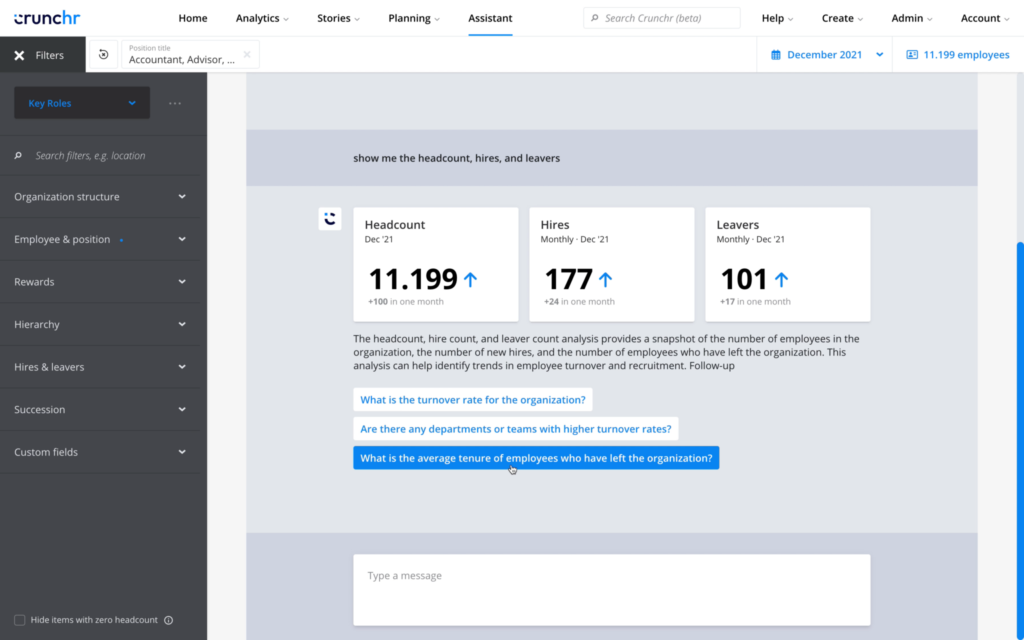
Crunchr is a people analytics and workforce planning platform that helps HR teams turn workforce data into clear reports, dashboards, and insights for better decision-making. It can help you track people metrics, spot trends, and link workforce planning to business goals.
It’s best for operational workforce analytics.
What it does for HR teams:
Crunchr is designed to help you explore workforce data without needing advanced technical skills. It provides pre-built dashboards covering common HR metrics examples, such as headcount trends, workforce composition, internal mobility, and turnover patterns.
Because the dashboards are structured around typical HR questions, you can begin analyzing workforce data quickly. For example, you can examine whether turnover differs across departments, whether leadership pipelines are developing evenly, or whether hiring activity is keeping pace with organizational growth.
Crunchr is especially useful for companies looking for accessible analytics tools that HR can use directly, rather than relying on data specialists. The platform also allows organizations to combine workforce data from several HR systems. This creates a unified view of the workforce and helps HR analyze patterns across the employee life cycle.
Typical HR data sources include HRIS systems, payroll, recruitment platforms, and performance management systems.
What to watch out for:
Be sure to consistently define workforce metrics, and note that any data quality issues in your HR systems will appear quickly in analytics.
HR suite analytics
Many HR systems now include built-in analytics capabilities. These tools allow you to analyze workforce data without exporting it into external systems. For organizations already using enterprise HR platforms, this can be an efficient way to begin exploring workforce trends, as the data already resides in the HR system.
5. Workday People Analytics
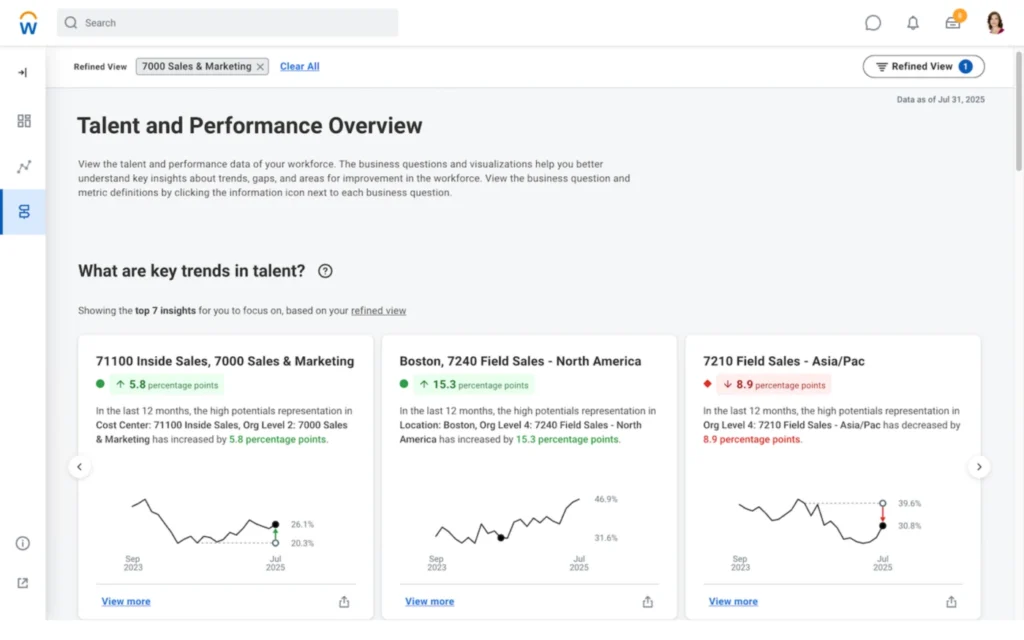
Workday People Analytics is a people analytics tool that helps HR turn workforce data into clear, prioritized insights, so they can make better people decisions faster. It uses automated analysis and plain-language narratives to surface trends, risks, and opportunities across areas like recruitment and retention, diversity, skills, and performance.
What it does for HR teams:
Workday People Analytics provides dashboards and analytics tools directly within the Workday HR platform, allowing you to analyze workforce data without exporting it to external reporting systems.
You can also use it to track metrics like headcount growth, employee turnover, compensation patterns, and workforce diversity within the system. Because the analytics tools are integrated with the HR platform, dashboards update automatically as employee data changes.
Managers can also access selected dashboards to view information about their teams. This helps them monitor trends such as team turnover, absence patterns, or performance outcomes. For companies already using Workday as their core HR system, this can reduce the need for separate reporting tools while still offering useful workforce insight.
Typical HR data sources include Workday HRIS, compensation and performance data, and learning systems.
What to watch out for:
Analytics quality depends on consistent HR data entry. You must also accurately maintain job structures and employee records.
6. SAP SuccessFactors Workforce Analytics
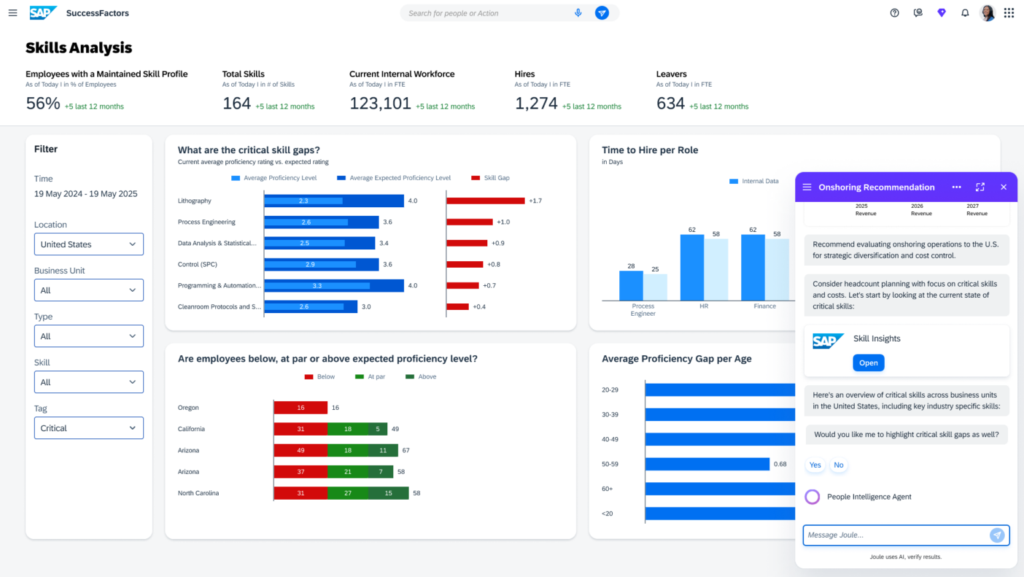
SAP SuccessFactors Workforce Analytics is a workforce analytics tool that helps HR understand how workforce trends, risks, and talent investments affect business outcomes. It offers clearer visibility into workforce composition and dynamics, so you can answer key people questions and make better planning decisions.
It’s best for large organizations using SAP HR systems.
What it does for HR teams:
SAP SuccessFactors Workforce Analytics is designed to help businesses analyze workforce trends across large, complex workforces. The platform integrates with SAP HR systems and allows you to analyze workforce composition, retention patterns, and leadership pipelines.
For example, HR leaders can track workforce demographics across regions, examine promotion patterns across job levels, or analyze workforce costs across business units.
Because the platform integrates with other SAP HR tools, it can combine data from recruitment, learning, and performance systems into a single analytical environment. This makes it easier for HR leaders to understand workforce patterns across the entire employee life cycle.
Typical data sources include SAP HRIS, payroll systems, and talent and performance management platforms.
What to watch out for:
Implementation can be complex, so your HR team would have to collaborate closely with IT on data integration.
Engagement and listening analytics
These tools focus on employee sentiment and feedback data. Many companies now run engagement surveys, employee pulse surveys, and life cycle feedback programmes to understand how employees experience the workplace. Listening platforms help you analyze this feedback and identify patterns in employee sentiment across teams or departments.
7. Culture Amp
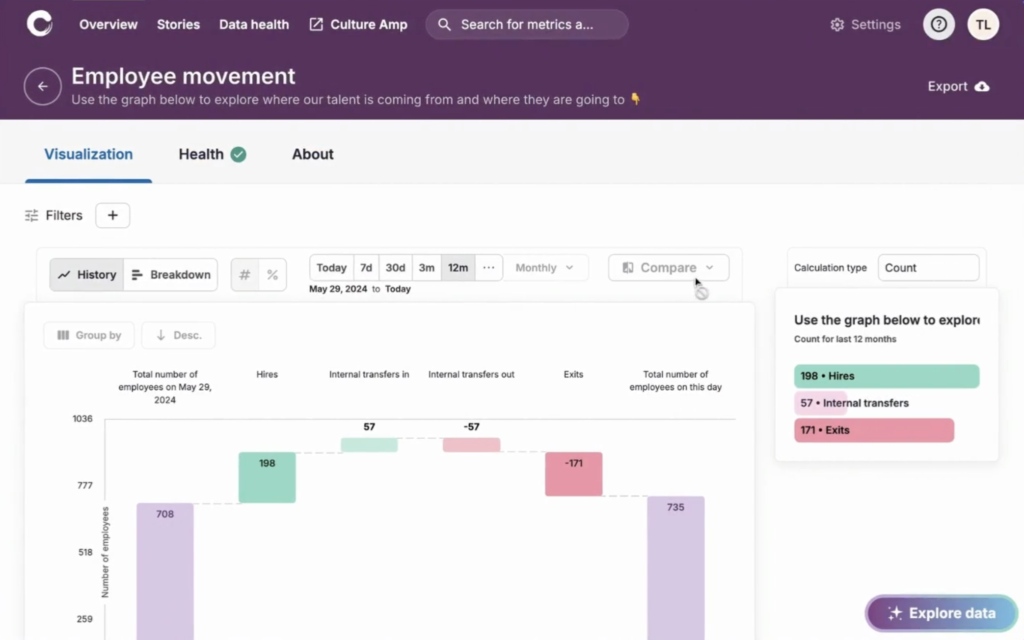
Culture Amp is an employee experience platform that helps HR measure engagement, performance, and development, so they can improve how people work and grow. It also offers people analytics capabilities that combine workforce data and insights to support better decisions on culture, retention, and team effectiveness.
It’s best for employee engagement analysis.
What it does for HR teams:
Culture Amp helps organizations collect employee feedback through engagement surveys, pulse surveys. and life cycle surveys. The platform analyzes survey responses and highlights patterns in employee sentiment.
For example, you can identify which teams report lower engagement scores or which aspects of the employee experience require improvement.
Culture Amp also provides benchmarking data that allows companies to compare their engagement scores with industry benchmarks. This helps you understand how staff experience the organization and where improvements are needed.
Typical data sources include Engagement surveys, pulse surveys, and life cycle feedback tools.
What to watch out for:
Prevent survey fatigue by scheduling your surveys sensibly (e.g., monthly or quarterly), so employees don’t feel overwhelmed. Also, remember that insights must translate into action, or employees will feel they’re wasting their time on surveys and not being heard.
8. Qualtrics Employee Experience
Qualtrics Employee Experience is an employee experience platform that helps HR capture and analyze employee feedback. It supports better people decisions by turning listening data into insights on engagement, retention, productivity metrics, and manager effectiveness.
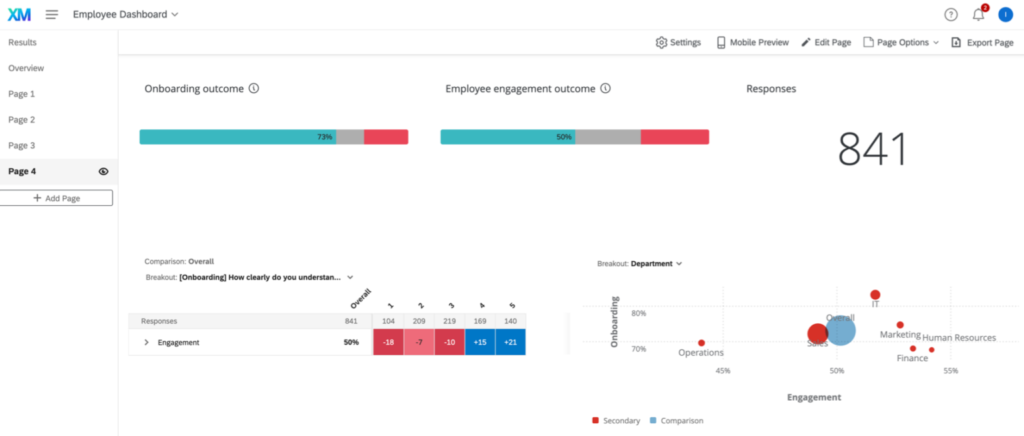
It’s best for advanced employee listening programmes.
What it does for HR teams:
Organizations use Qualtrics Employee Experience to analyze employee feedback across the entire employee life cycle. The platform collects feedback from employee onboarding surveys, engagement surveys, exit interviews, and other listening programmes.
One of its key features is the ability to analyze open-text responses. Natural language processing (NLP) tools identify recurring themes in employee comments, helping you understand employee concerns more clearly.
For example, you might discover that employees repeatedly mention workload, leadership communication, or career development in open comments. These insights help you understand not only what employees think, but why they feel that way.
Typical data sources include surveys, life cycle feedback tools, and open-text feedback.
What to watch out for:
Protect employee anonymity when collecting survey feedback, and develop a clear survey strategy that supports efficient survey completion, honest answers, employee privacy, and accurate survey analysis.
Workforce planning and organizational design
Such tools help HR move from looking at past workforce data to planning future workforce needs and structure. They let teams test scenarios, spot gaps in skills or capacity, model reporting lines and team setups, and see how changes in headcount or structure may affect cost, performance, and business goals.
9. Orgvue
Orgvue is an organizational design and workforce planning platform that helps HR teams understand workforce structure, roles, skills, and costs in one place. It lets HR model future organizational setups, test workforce scenarios, and make better decisions before changes are rolled out.
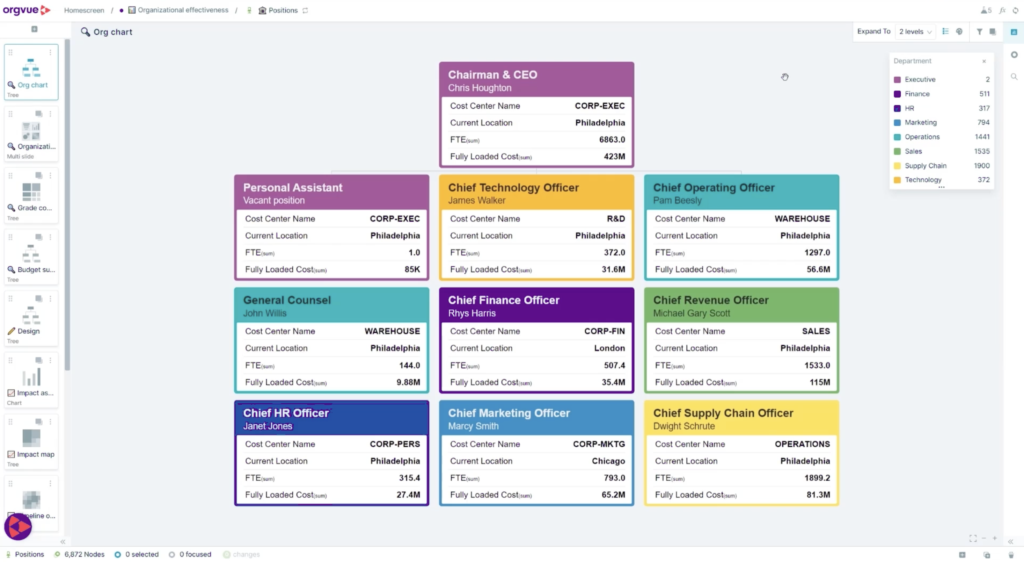
It’s best for workforce planning and organizational design.
What it does for HR teams:
Orgvue helps organizations model workforce changes before they happen. HR leaders can simulate organizational restructuring, workforce growth, or cost reduction scenarios. For instance, it can analyze how a restructuring could affect reporting structures, workforce costs, or leadership pipelines.
By modelling these changes before implementing them, leadership teams can understand the potential impact of workforce decisions. This type of workforce planning is particularly important for organizations undergoing transformation or rapid growth.
Typical data sources include HRIS organizational data, payroll cost data, and workforce hierarchy data.
What to watch out for:
You must ensure your organizational data is accurate before using Orgvue, and collaborate closely with your company’s finance and strategy teams on workforce planning.
DIY analytics stack
A DIY analytics stack like Excel gives HR a flexible, low-cost way to collect, clean, organize, and analyze workforce data without needing a dedicated platform. You can use it to track key metrics, build simple dashboards, spot trends, and answer basic people questions, but it often becomes harder to manage as data volume, complexity, and reporting needs grow.
10. Excel
When we talk about HR analytics tools, we shouldn’t forget the basics. Excel is where most of us started. Whenever you manually extract data from any of your HR systems, it most likely comes out as a comma-separated values (CSV) file. You can easily open and edit these files using Excel.
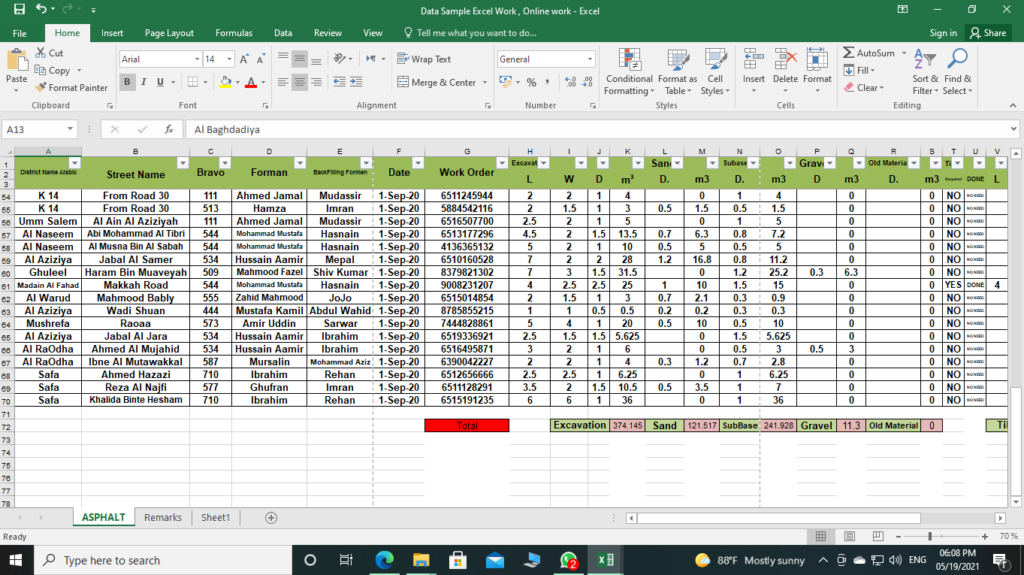
It’s best for quick analysis and early-stage HR analytics.
What it does for HR teams:
Excel remains one of the most widely used analytics tools in HR. Many HR teams export workforce data from HR systems and analyze it using pivot tables, formulas, and charts. For instance, you can calculate turnover rates, analyze absence patterns, or examine recruitment pipeline data using Excel.
For smaller organizations or teams beginning their analytics journey, HR data analysis in Excel can be a practical way to explore workforce trends before investing in more advanced analytics platforms. However, as datasets grow larger and analytics become more complex, organizations often supplement Excel with more advanced analytics tools.
Typical data sources include HRIS exports, payroll files, recruitment data, and survey datasets.
What to watch out for:
There’s always a higher risk of errors when handling manual processes, and large datasets are often difficult to manage using Excel alone.
How to choose the right HR analytics tool
Now that you know about the different HR analytics tools at your disposal, you still need to choose the right one for your analytics project. Sometimes, you may benefit from using multiple tools. For example, combining and analyzing vast amounts of data requires different tools from those you’d use to display your analytics output on a dashboard.
Here are some things to bear in mind when selecting the right HR analytics tool:
Analytics capabilities
What level of analysis does your organization need? Some tools focus mainly on data visualization and dashboards, while others offer more advanced capabilities, such as predictive analytics, workforce modelling, or AI-driven insights.
Predictive analytics tools can help forecast turnover or hiring demand, while simpler tools may only display historical trends. The right choice depends on whether you need reporting, deeper workforce analysis, or forward-looking insights.
Data integration requirements
Most HR analytics tools rely on data drawn from multiple systems. Which data sources do you need to connect? These may include HRIS systems, payroll platforms, recruitment systems, learning platforms, and employee engagement surveys. A tool that integrates easily with your existing HR technology stack will reduce manual work and improve data reliability.
User-friendliness and skills required
The tool’s complexity should match your HR team’s analytical skills. Some platforms require programming or data science expertise, while others are designed for HR professionals with limited technical backgrounds. If your team is new to analytics, tools with intuitive dashboards and pre-built reports may be easier to adopt.
Security and compliance
HR data often contains highly sensitive personal information. Any analytics tool should therefore include strong data security controls, role-based access controls, and compliance with relevant data protection regulations. Organizations also need clear policies governing who can access workforce data and how it is used.
Scalability and vendor support
Consider whether the tool will remain suitable as your organization grows. A platform that works well for a small HR team may struggle to manage large HR datasets for people analytics or complex workforce structures. Vendor support, training resources, and system scalability are all important factors to consider when selecting a long-term analytics solution.
To sum up
HR analytics tools are an essential part of modern HR practice. As organizations collect more workforce data, the ability to analyse and interpret that information is increasingly important for understanding hiring patterns, employee engagement, retention risks, and workforce planning needs.
The right tools let you move beyond reporting basic metrics and start identifying patterns that support better decisions. As HR analytics software continues to evolve, professionals who can combine data insight with human understanding will play an important role in shaping organizational strategy.